

In Depth: Why computers suck at maths

Computers might struggle to exhibit intelligent behaviour, but blindly performing arithmetic calculations is surely their forte. Or is it?
The failure of Google's online calculator and Excel's apparent inability to give correct answers to simple calculations are both well-known problems among programmers, but these aren't really bugs in the normal sense of the word. Instead they're just a consequence of the fact that computers suck at maths.
Computers perform calculations in quite a different way from the methods that humans use to do arithmetic – and that means that they habitually come up with the wrong answer. Here we investigate some of the shocking consequences of this revelation before delving into the reason why computers suck at maths.
Close isn't close enough
For anyone still to be convinced that computers can't get simple arithmetic right, let's start off with a few examples that you can try out yourself.
First up, Google's calculator. If you've never tried it out before, to get a feel for how it works, surf to www.google.co.uk, type 5*9+(sqrt 9)^3 into the search box and click on 'Search'. You'll find that it comes back with the correct answer: '5 * 9 + (sqrt 9) ^3 = 72'.
Now let's try another calculation. Type in 599,999,999,999,999 - 599,999,999,999,998. Quite clearly, this should give an answer of 1. Unbelievably, however, Google responds with this: '599,999,999,999,999 – 599,999,999,999,998 = 0'. Just a rare and unfortunate example, perhaps?
OK then, let's try another simple calculation. Type =850*77.1 into cell A1 of an Excel 2007 workbook (it doesn't work – or should that be it does work – in earlier versions of Excel). A bit of mental arithmetic suggests that the answer ought to be in the region of 60,000; in fact the correct answer is 65,535.
Excel has other ideas. It will tell you that the result of this multiplication is 100,000, which is out by a massive 34,465. And to prove that this is no flash in the pan, how about using a selection of online calculators to work out 1.0 - 0.9 - 0.1?
You'll probably find at least half of them will come up with an answer of -2.77555756 E-17 – scientific notation for -0.0000000000000000277555756. (If all the ones you try give the right answer, take a look at www.calculator.net.)

BAD MATHS: Since 1.0 - 0.9 - 0.1 equals 0, why are so many online calculators convinced that this value is the answer instead?
OK, this answer might not be far removed from the correct answer of 0, but why can't the calculator come up with the right answer – an answer that's blatantly obvious to anyone who is conversant with simple arithmetic?
How computers do maths
Although computers can handle integers (whole numbers), for general-purpose arithmetic they store numbers in floating point format because it's so much more efficient in memory use.
Let's take the double precision floating point representation as an example. It uses 64 bits to store each number and permits values from about -10308 to 10308 (minus and plus 1 followed by 308 zeros, respectively) to be stored. Furthermore, fractional values as small as plus or minus 10-308 (that's a decimal point followed by 307 zeros and then a 1) can be stored.
By way of contrast, if the same 64 bits were used to store integers, the range would be −9,223,372,036,854,775,808 to +9,223,372,036,854,775,807, and fractional values couldn't be represented.
The secret to this apparently amazing efficiency is approximation. Of those 64 bits, one represents the sign (so whether the value is positive or negative), 52 bits represent the mantissa (that's the actual numbers) and the remaining 11 bits represent the exponent (how many zeros there are or where the decimal point is).
So although a much greater range of numbers can be stored using floating point notation, the precision is actually less than can be achieved in integer format, since only 52 bits are available. In fact, 52 bits of binary information represents a 16-bit decimal number, so any values that differ only in their 17th decimal point will actually be seen as identical.
The situation with Google thinking that 599,999,999,999,999 - 599,999,999,999,998 equals 0 is similar, although it's evident that Google's calculator actually uses less than the normal 52 bits for the mantissa. That some calculators give a non-zero result to the calculation 1.0 - 0.9 - 0.1 might seem different since we appear to be nowhere close to the limit of 64-bit floating point arithmetic.
But that's forgetting one important fact – that computers work in binary. And although 0.1 might have only one significant digit in decimal, in binary notation the mantissa is a repeating sequence. This means that 0.1 can never be represented accurately in binary, no matter how many bits you use.
The discrepancy between the computed answer and the correct answer is often minute, and you might be inclined to dismiss this sort of error as insignificant. However, such errors can add up, and the consequences can be serious.
On 25 February 1991, three days before the end of the first Gulf War, an Iraqi Scud missile hit a US airfield in Dhahran, Saudi Arabia. 28 American soldiers were killed and more than 100 others were injured.
At the time, sensitive targets were supposed to be protected by the Patriot surface-to-air defence system, and one battery of Patriot missiles was assigned to the Dhahran facility – so it's pertinent to ask what exactly went wrong.
The answer is the system's tracking software, and the problem is not unrelated to our online calculator error. In order to avoid potentially costly false alarms, the Patriot's sophisticated radar must first detect an object that has the characteristics of a Scud missile and then detect it a second time in a position calculated by the system on the assumption that the first fix was genuinely a Scud. Only when this second fix provides a confirmation is a missile launched to intercept it.
The calculation of where to look for confirmation of an incoming missile requires knowledge of the system time, which is stored as the number of 0.1-second ticks since the system was started up. Unfortunately, 0.1 seconds cannot be expressed accurately as a binary number, so when it's shoehorned into a 24-bit register – as used in the Patriot system – it's out by a tiny amount. But all these tiny amounts add up.
At the time of the missile attack, the system had been running for about 100 hours, or 3,600,000 ticks to be more specific. Multiplying this count by the tiny error led to a total error of 0.3433 seconds, during which time the Scud missile would cover 687m.
The radar looked in the wrong place to receive a confirmation and saw no target. Accordingly no missile was launched to intercept the incoming Scud – and 28 people paid with their lives.
The processor that couldn't divide
Launched in March 1993, the Pentium was Intel's fifth generation of x86 processor. Unlike previous generations, in which at least some family members could only carry out arithmetic on whole numbers, all Pentiums had a floating point unit (FPU).
An FPU is a piece of built-in hardware for calculating floating point arithmetic. This gave the Pentium a massive speed advantage, since computers without an FPU-enabled processor had to carry out this sort of calculation using software routines that involved lots of integer operations. Unfortunately, it was a poisoned chalice for Intel.
In June 1994, shortly after taking delivery of a Pentium-based PC, Thomas Nicely – then Professor of Mathematics at Lynchburg College, Virginia – noticed that a program he had written was giving inconsistent results.
By running the same program on several machines, Professor Nicely tracked down the problem to the his new PC's Pentium processor and, in particular, to its FDIV (floating point division) instruction. Although it affected just a tiny proportion of floating point divisions, at its worst the error was really quite significant.
Dividing 4,195,835 by 3,145,727 gave an answer of 1.3337 – which represents an error in the fourth decimal place since the correct answer is actually 1.3338. The Pentium's FPU used something called the SRT algorithm to carry out floating point divisions.
Although there are simpler and more obvious ways of dividing one floating point number by another, the SRT algorithm gave a significant speed advantage over previous algorithms.
If you're not a mathematician you'll find a description of how SRT works totally impenetrable. However, let's just say that instead of working everything out using 'pure maths', it involved the use of a look-up table. The table contained 1,000 or so values, but due to a production error five of these values were missing.
Despite the fact that Intel's CEO Andy Grove reckoned that the average user would only see the problem every 27,000 years, IBM's estimate was once every 24 days – and as a result the company stopped shipping Pentium-based PCs. Intel eventually agreed to swap defective Pentiums for good ones.
Most people didn't take up the offer, but the delay caused technically minded users to make Intel the butt of their jokes. The following is typical. Q: How many Pentium designers does it take to change a light bulb? A: 1.99904274017, but that's close enough for non-technical people.
The errors we've seen so far have concerned floating point numbers where accuracy is lost if there's not enough bits to store the mantissa. OK, those errors can add up, but essentially they're just rounding errors, and the likelihood of not having enough bits to store the exponent is comparatively small given that the maximum values they can store are absolutely huge.
When integers are involved, the effect can actually be far more serious. A 64-bit integer can store a maximum positive value of 9,223,372,036,854,775,807. If you try adding 1 to an integer variable that already equals this maximum value, you don't just lose that extra value. Instead, the integer overflows.
In other words, as far as a computer working in 64-bit integer arithmetic is concerned, 9,223,372,036,854,775,807 + 1 = -9,223,372,036,854,775,808 (note the minus sign). Something very similar happened on-board the European Space Agency's Ariane V rocket on its maiden flight.

EXPENSIVE MISTAKE: Programmers call it an overflow; in reality it was bad maths that caused this $370million spacecraft to explode
In fact, the arithmetic operation in question – if you can call it that – was even simpler than adding 1. Instead, it just involved copying one number that had been stored in floating point format to another location that was defined as an integer – and a 16-bit integer at that (maximum positive value of 32,767).
Unfortunately, the number was already too large to fit in the integer location, and as a result it overflowed. The exact sequence of events that followed is pretty complex but, to cut a long story short, the end result was that the Ariane V became one of the most expensive fireworks in history.
Guarding against cock-ups
This run-through of some of computing's most astonishing mathematical cock-ups may have come as something of an eye-opener to you. If so, you're probably wondering whether tomorrow's computers can avoid making such elementary mistakes.
Surprisingly, perhaps – and with the exception of the Pentium floating point error, which was caused by a hardware glitch – all of the errors we've mentioned here could have been prevented. In that sense, they can all be thought of as software errors.
As an example, let's take that integer overflow on the Ariane V rocket. That an integer can overflow isn't an error on the part of the processor because it's the way it's supposed to work. But whenever an integer does overflow, the processor sets something called a flag that the program can interrogate.
In the case of the Ariane software, the program didn't check for an overflow; if it had done, corrective action could have been taken. Of course, there will always be a limit to how large an integer can be and how much precision a floating point number can have – and this depends on the processor. But all of today's computers are universal computing machines, which means that they can solve any problem involving logic and maths.
So if a processor's internal instructions can't operate on large enough integers or on floating point numbers with sufficient precision, it's always possible for the programmer to implement arithmetic routines that will.
There will be a trade off against speed, though, which is why this isn't usually done. However clever the software or however much memory you use to store a floating point number, the result of some divisions will never be accurate.
We've seen how 1 divided by 10 is an infinite string in binary, and, in the general case, a move to decimal arithmetic wouldn't help either: 1 divided by 10 can be stored accurately in decimal, but 1 divided by 3 equals 0.3333333… ad infinitum.
The bottom line is that whatever number base you choose, some divisions will produce results that can never be stored accurately as a finite number of digits. Even this isn't a show-stopper, though.
Remember how 1.0 - 0.9 - 0.1 often yields an inaccurate answer because of rounding errors even though we know, immediately, that the answer is 0? Well, it's quite possible to write software to store the result of a division as a rational number.
In other words, you don't actually do the division – you just store the two numbers. In subsequent arithmetic operations you handle the values as fractions, just as you were taught in school, and the result will be exact.
So computers might suck at maths, but there's always a solution available to circumvent their inherent weaknesses. And in that case, it's probably more accurate to say that computer programmers suck at maths – or at least some of them do.

 |  |
Read More ...
Vodafone: Twitter isn't priority for 360 launch
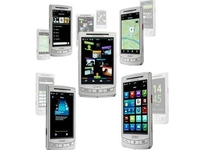
Vodafone has told TechRadar that it decided to bring the likes of Facebook and Google Talk integration of its new 360 service over Twitter.
Ian Shepherd, Vodafone's commercial director, told us: "There are 10 times more Facebook users than Twitter in the marketplace, so we decided that was the order in which we will do things, and we feel that's the right order.
"However, we remain very committed to [providing Twitter on Vodafone 360] and we're looking to do that in the very near future."
This means that while users can connect to Facebook right from a contact in their phonebook, they'll be unable to do so on popular social network Twitter for the time being.
Vodafone's new 360 platform - which will launch first on the H1 phone released tomorrow - is designed to connect people together through social networking and instant messaging, along with more conventional texting and emailing.
Beyond the H1
But the network wants to push the service beyond 360-branded handsets, and intends to offer downloadable clients to the likes of Symbian handsets.
Currently Nokia phones, like the N85, use Vodafone's My Web service, but this will soon be upgraded to 360, giving access to the social network updates from your contact list.
This upgrade will apparently be delivered before Christmas as Vodafone looks to ramp up the availability of 360 to more people.
Whether 360 will be a success beyond Vodafone customers remains to be seen, but it will be interesting to find out whether customers get on board with this 'unified life' idea the network is touting.

| |
Read More ...
Big queues for new PC World and Currys megastores

Hundreds of people queued through the night to take advantage of special offers to mark the opening of new megastores for PC World and Currys
A joint Currys/PC World store in Fulham attracted nearly 700 people according to the DSGi group, while a Birmingham PC World – the biggest megastore for the brand – attracted 500 people.
Why the queues? Because of offers on things like a Snooper Sat Nav for a shade under آ£50 and a آ£349 Compaq CQ5266 desktop
Hundreds of jobs
Andrew Milliken, Transformation Director, DSGi international, comments "'As well as giving shoppers great value and a fantastic shopping experience, these new stores have created over 100 jobs in the local areas.
"The Megastores, which are among the biggest in the country, are all part of our renewal and transformation programme which has seen the opening of over 100 new or refurbished stores to date.
"With another 60 planned within the next 8 months we look forward to welcoming even more shoppers around the country to the best technology destinations in the UK."

| |
Read More ...
Virgin Media delighted with latest figures

Virgin Media has added a further 37,800 subscribers to its television service in the past quarter, with the cable operator producing its best ever third quarter performance and reaching 3.71 million homes.
Virgin Media's figures show that their average revenue per user has reached a record high, boosted by the likes of the 50Mb broadband package.
The revenue per person on average is now at آ£44.24, a five percent increase on its previous quarter results.
VOD in demand
Video on demand remains a key factor, with more than 66 million views a month and the mobile service adding 88,000 customers, taking it up to 873,000.
"Our focus remains on attracting high-value customers, who buy more from us and stay with us longer," said Virgin Media's Neil Berkett
"This strategy has led to the second successive quarter of record ARPU and strong consumer revenue growth. I am delighted that these results show we are progressing significantly in this regard."

| |
Read More ...
One-stop installer automatically installs all your favourite apps

An application that installs the most popular applications that you would want on a new computer without having to go through loads of different sites has proved to be popular in its first week since going public.
The 'Ninite easy installer' allows people to cherry pick their favourite apps, including Skype, Messenger, Open Office and iTunes, and then install them all in one fell swoop.
The list of apps the installer includes is growing quickly and after a well-received private beta under the name of Volery.
64-bit question
The app, developed in San Francisco, is 32-bit enabled only at the moment with 64-bit and business accounts in the offing.
We've certainly not noticed any shenanigans - although we are obliged to point out that Future can't take any responsibility for other sites and downloads of course.
Trust
Developer Patrick Swieskowski insists that the installs are simply the default installs of the programs listed, with none of those irritating add-ons like toolbars and installers.
"We're very serious about just installing the apps you choose and nothing more, says Swieskowski in comments on How-to-geek.
"We decline browser toolbars and other crap installers try to sneak in too. Volery itself isn't installed at all. We recognise running our installer requires a lot of trust, and we intend to earn and keep it."
The thought of running PCdecrapifier followed by Ninite to get our Windows 7 computers up to speed and bloatware free is certainly appealing.
Related Links
| |
Read More ...
Nintendo profits have halved

Nintendo's profits have fallen for the first time in years, with interim net profit cut by more than half to to آ¥69.49 billion (about آ£465million), from آ¥144.83 billion this time last year.
There are a number of ways to look at (or spin) this. On the one hand, a company posting nearly half a billion pounds worth of profit is clearly still doing pretty well.
On the other hand, it is still a mighty drop in the profit over the space of one year. And clearly the lack of AAA-titles for Wii has far from helped.
Sales forecasts slashed
Nintendo sold 5.75 million Wii consoles from April to September, down 43 per cent on 2008 and slashed its sales forecast for the April 09 to March 2010 period to 20 million units down from 26 million.
DS sales were down 15 per cent on 2008, with 11.7 million units sold. Wii software sales were down 6 per cent to 76.2 million units, and DS software titles were down 16 percent to 71.1 million units.
Looks like that runaway sales success of the Wii is over. Time to start looking towards Wii 2 (or Wii HD, or Wii Plus, or whatever it ends up being called!).

| |
Read More ...
ARM: dual core mobiles coming in 2010
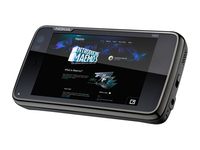
ARM has revealed it expects dual core mobiles to be released in 2010, giving big improvements in speed and battery life.
Speaking to TechRadar, Rob Coombs, director of mobile solutions for ARM, said the company was 'hopeful' of a 2010 release, but it may be pushed back to 2011.
The new dual core Cortex A9 will allow mobile phone manufacturers to offer elements like Flash 10 on bigger screens, or pumping out content in higher definition to bigger screens.
Silly speeds
"We don't need silly GHz speeds," Coombs told us when talking about life beyond the current crop of 1GHz processors. "With our dual core A9, we can get two times the performance, without the speed draining the battery so by the time you get home your phone is dead."
While Coombs admitted that current processor offerings were probably enough, he pointed to some interesting options the likes of the A9 will offer:
"They will allow user interfaces to be a bit more reactive, with some cool and weird options. For instance, if future mobiles rely on speech recognition, which is a processor hogging application, we can deal with that."
Showing off
Coombs also revealed ARM has clocked the A9 up to 2GHz speeds, but purely as a demonstrative exercise:
"That [speed] is more about PC specifications, and would probably be too hot for a smartphone - you'd want something that was a bit cool and lasted an extra day on battery life."
However, with the likes of Google's Chrome OS coming to the PC market ARM is looking to push into netbooks in the near future with its high-powered architecture.
Coombs also revealed that ARM is 'always talking to Microsoft' and that there is 'No technological reason why its chips can't be used with Windows PCs.'

| |
Read More ...
Intel set to launch Core i7 930

Intel has officially announced that it will provide a successor to the discontinued Core i7 920, with the Core i7 930 boasting a speed of 2.88GHz.
It's the latest in a whole line of updates, with the Core range being given an overhaul, but the 930 has a significant speed boost from its 2.66GHz predecessor.
Quad-core, eight thread
It's likely to be a quad-core eight-thread chip designed for socket LGA 1366, which confounds suggestions that the Core i7 860s and Core i7 870s processors for the LGA 1156 socket boards would be the only mainstream models to survive through 2010.
The chip is scheduled to arrive in the first quarter of 2010, and the pricing is likely to keep socket 1366 boards as an attractive option, despite the impending arrival of the 1156's.
No details have yet surfaced as to whether the 930 will use the 32nm process.

| |
Read More ...
HTC's new HD2 priced lower than expected
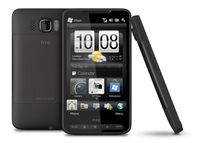
HTC's new HD2 has been priced and announced as being available on the O2 network, with a possible UK release date in November.
While O2 has told us that it hasn't given the HD2 final pricing or definite release date, Mobiles.co.uk - an arm of The Carphone Warehouse - is offering it for just آ£25 per month.
Admittedly this is on a two year deal and costs آ£99 up front - so if you don't like Windows Mobile then you're best looking at other options instead.
Following suit
The HTC HD2 will also be available from networks other than O2 - T-Mobile Business is the first in line, but other carriers will surely follow, as the 4.3-inch device with super-fast 1GHz processor is likely to be a big hitter.
However, HTC CEO Peter Chou has stated that the HD2 won't be used as an Android handset in the future - he told Forbes: "technically, we could make the HD2 an Android phone, but I have to take care of Windows Mobile."
But that doesn't eradicate the possibility of HTC releasing a 1GHz processor-toting handset in the near future - especially as rivals Acer has managed the same thing with the forthcoming Liquid.

| |
Read More ...
In Depth: How Apple's Magic Mouse works

As with so many spellbinding things these days, Apple's Magic Mouse sadly turned out to be science. iFixit took the Magic Mouse apart as quickly as you'd expect and left us with the below juicy pic of the sensors to mull over.
Inside, we find that Apple has upgraded to laser tracking from the Apple (formerly Mighty) Mouse's optical tracking, offering greater accuracy over more surfaces. There's also a fairly standard Broadcom chip handling both the processing and Bluetooth transmission duties. All very well, but the interesting part is the luscious coating of capacitive sensors covering the inside of the mouse's plastic top half.

FULL OF IT: No magic here, just lots of sensors. Also, there is no Santa Claus [Image credit: iFixit]
This is the same type of sensor used in the iPhone, and they work by using the natural electric conductivity of your body to affect the voltage inside the sensors. The principle is similar to plasma globes, where placing your hand on the glass causes the filaments to follow your fingers.
Capacitive sensors are very accurate and highly responsive to even a light touch, though they do have some limitations, as anyone who's tried to use an iPhone in gloves can attest. That generally isn't a problem indoors, so they're ideal for desktop interfaces.
Using sensors all the across the surface and down to the Apple logo is a crucial part of making the mouse live up to Apple's usual standards for accessibility. Having an invisible line where scrolling just stops working would confuse people no end, so it's important that Apple hasn't skimped here.
Apple brags about the Magic Mouse's ability to differentiate between gestures and resting your hand, and this is all done in the software that accompanies the sensors.
We're admittedly simplifying here, but essentially it's a standard database query. When your fingers touch the sensors, the software asks itself whether what you've done matches up to being a scroll – moving one finger consistently in recognised direction – or whether it matches up to a swipe – two fingers moving quickly in recognised direction. If the input doesn't conform to either of these then it can safely be ignored.

DIFFERENT MOVEMENTS: Sensors are located all across the surface to pick up different gestures
The accuracy of capacitive sensors allows for advanced software features like momentum scrolling. The speed of your finger movement is always carefully measured, and if you lift off while moving then the scrolling simply continues at that speed before running down.
It's the combination of the sensor hardware and gesture software that is key to the bringing devices like the Magic Mouse to life. So can we expect more of them in the future?
Synaptics specialises in capacitive sensors and gesture recognition software. It makes a type of sensor that is flexible enough to fit in curved enclosures, works under a plastic shell and comes with gesture software that recognises only scrolls and swipes.
We don't know if this is the exact technology used in the Magic Mouse because Apple doesn't talk about its suppliers, though it would explain why pinch and rotation are missing from the new mouse.
What we do know is that functionality similar, if not identical, to the Magic Mouse's is available for anyone to licence. Indeed, Microsoft has already shown off a multi-touch mouse concept bearing the telltale lattice of capacitive sensors.

SECOND PLACE: Microsoft showed off its multi-touch concepts first, but Apple has beaten it to market [Image credit: Microsoft via PC Mag]
Things are never that simple, though. Apple not only owns the trademark on the name Multi-Touch, but has also filed patents relating to "a computer mouse having a touch-sensitive shell capable of accepting multi-touch finger gestures" (as described by Apple Insider).
It seems unlikely that these potential barriers will stop more multi-touch mice appearing before too long, but Apple has certainly laid down a marker for how we will interface with this generation of multi-touch capable operating systems.

| |
Read More ...
Review: Pixelmator 1.5

Most consumer oriented image apps concentrate on photography rather than editing. Pixelmator is an attempt to turn the clock back, somewhat aping Photoshop circa 2002, albeit at a fraction of the cost.
Back in MacFormat issue 189, we bucked the trend by calling Pixelmator 1.0 "a nice idea, badly implemented" and 'awarded' it one-and-a-half stars.
Our concerns were huge performance issues, an irritating interface with loads of semi-transparent components and odd toolset omissions.
These problems remain to some extent, but Pixelmator's come on a long way.
The interface remains awkward in some areas – palettes are sprinkled around and you can't type values into dialog fields – but transparency is less evident, the action tooltips used throughout are a lovely touch, and the intuitive way in which selections are made (with plenty of visual feedback) beats Photoshop in its current state, let alone seven years ago.
The toolset is suitable for creating and editing RGB screen graphics, and the web-slicing and export tools should suffice for amateur web designers.
However, the lack of layer effects is a pity, and pros will be hampered by Pixelmator's iffy brush management and poor performance on large images.
In tests, Pixelmator slowed noticeably when images were larger than 3,000 pixels per edge, but was snappy for smaller images. Pixelmator is finally worth a look.
Related Links
| |
Read More ...
New 8x zoom-lens add-on for Nintendo DSi

Peripheral maker Nyko is releasing a this HUGE add-on lens to bump up the DSi's 0.3 megapixel camera.
The humungous 8x zoom lens is (thankfully) attached to a detachable Nyko Zoom Case.
Hilarious, nonsense
TechRadar supposes you could throw this hilarious device in your manbag for those odd occasions when you really need to take close-up and grainy pictures of flowers with your games console.
Nyko's latest will only set you back a mere $25. It is sure to make you the envy of all your DSi-toting mates.
Or maybe not. Whatever, it's so bizarre, we still want one...

| |
Read More ...
Review: iSlayer iStat Menus

Whenever Mac OS X gets a major update, there's a whiff of panic in the air, due to favourite add-ons suddenly being rendered incompatible. This happened with iStat Menus and Snow Leopard, and our Macs felt naked.
Luckily, iSlayer came to the rescue with a major update of its own. iStat Menus 2.0 builds on the solid foundations of its predecessor.
Via its System Preferences pane you add monitoring tools to your menu bar: CPU, Memory, Disk Usage, Activity (for disks), Network, Sensors (for temperatures and fans), and Date & Time.
For components with multiple items, drag-and-drop actions enable you to choose which to show; for anything that has more advanced configuration, you just check relevant boxes or drag the odd slider.
Changes over version 1.x appear to be 'more of everything' – more options, more widgets, more skins. For tinkerers, there's loads of fun to be had exploring.
Once your monitors are running, you can reorder them via Command-dragging, and 'advanced' information (component temperatures and fan speeds within Sensors, a fantastic calendar and world clock within Date & Time, and so on) is accessible via item menus.
These also provide access to the relevant configuration pane within iStat Menus and related apps (such as Activity Monitor and Console from the Memory item).
iStat Menus 2.0 is robust, stable, well-behaved – and it's still free, so we strongly recommend donating if you like it as much as we do.
Related Links
| |
Read More ...
Review: c:four iStudio Publisher 1.1

Newcomers to the page-design software market have a mountain to climb. As if the overpowering might of Adobe's InDesign didn't cast an enormous enough shadow, cheaper options such as Apple's Pages and BeLight's Swift Publisher are no less formidable. iStudio 1.1 hurls itself into the fray and first impressions are good.
The front-end isn't a thing of beauty but there's no shortage of tools. Text paths are easy to create and there are plenty of pre-designed shapes for those who don't want to create their own.
Changing the elements of your documents falls to the Inspector panel to the right-hand side of iStudio, and InDesign users will be comfortable here – opacity, fills and character properties can all be set.

Those who don't know what they're doing will struggle, though. For an application marketed at home users and small businesses, it's strange that no tutorials are built in, and the limitations continue elsewhere.
If you want to export as a PDF, you're unable to determine the size of the document, and the Undo command doesn't work with every tool.
There are no options to export your document to web formats, and those who want to create their own templates may be frustrated by iStudio's inability to save character settings as bespoke styles.
But this is a promising application, and iStudio's makers say our concerns will be addressed in free future upgrades. With a very competitive price, this is clearly one to watch.

| |
Read More ...
Review: Elgato EyeTV iPhone app

People pay good money for a Slingbox, a piece of dedicated hardware that sits at home and lets you stream TV over the internet to a computer or smartphone. Now, you can use your Mac to do the same thing with the Elgato EyeTV iPhone app.
Add any TV tuner to your Mac that uses Elgato's fantastic EyeTV application, then add this app on your iPhone or iPod touch. You can watch live TV – with the app picking up the programme names from the EPG data held in EyeTV on your Mac – and play, pause and rewind it.
You can do it on the same local network or even over the web. A Back-to- My-Mac-like service lets you easily find your home computer over the internet, though only a few routers can make the connection fully automatically. But, with a little port forwarding with our test Netgear router, we were all set.
Quality over the web is dependent on your home broadband's upload speed, or whether you're on 3G, though if you own a Turbo.264 HD – Elgato's video encoding dongle – it can switch bitrates on the fly to give you the best quality as your bandwidth changes. (Live TV streaming requires a Core 2 Duo, but we had some success with a 1.5GHz Core Solo with a Turbo.264 HD attached.)
You can watch recordings you've made through EyeTV on the Mac, and go through the schedules to mark future programmes for recording remotely. Sadly, there's no way to search.
The app works well, though your experience of watching live TV and recordings remotely could be spoiled if your upload speeds aren't generous.
For scheduling and watching recordings, it's great, but we used TVCatchup for live TV wherever we were.
Related Links
| |
Read More ...
Nintendo announces bigscreen DSi LL Euro release

It's hardly the best kept secret, but Nintendo has finally confirmed that it is to release a big screen DSi in Japan next month and in Europe early in 2010.
At a press event in Tokyo, the games giant showed off the Nintendo DSi LL which will feature a 4.2 inch screen.
The addition of a larger screen is said to be Nintendo's response to market feedback from older users.

Pen bundled
The DSi LL will come bundled with a bigger pen and three titles pre-installed and will sell in Japan at 20,000 yen – which is around آ£135. Nintendo has also confirmed that the price in Europe will be 'higher' than the current DSi price - unsurprisingly!
The screen is certainly a big increase on its predecessor – falling just short of double the size.
We'll be badgering Nintendo UK for an answer in the course of the coming days and weeks.

| |
Read More ...
Facebook outlines its future to developers

The near-future of Facebook has been laid out, with third-party developers being handed the option to ask for user emails and the potential for embedded Facebook content in other websites.
The timeline has been rolled out for Facebook's developer community, but hold some interesting information as to what we can expect from the social networking behemoth.
As well as tweaks like simplified navigation and more prominent dashboards for applications, we can also look forward to seeing 'many' Facebook features hosted on websites outside of the main site.
Open Graph API
The Open Graph API apparently brings functionality so that 'any page on the web can have many of the features of a Facebook Page – users can become a fan of the page, it will show up on that user's profile and in search results, and that page will be able to publish stories to the stream of its fans.'
Some of the most fascinating changes revolve around allowing developers of apps to request users' emails, ostensibly to 'reduce friction and empower… developers'.
Here's how Facebook says the new changes will unfold:
Access to user email addresses.To reduce friction and empower application and Facebook Connect developers to manage their relationship with users, for the first time, we're providing a simple and safe way for users to share their email addresses with you.
Focusing Facebook communication on the stream and Inbox. This consolidates developer and user communication into the two most powerful channels — stream and Inbox — and provides new features to help users stay engaged with applications. User-to-user communications commonly in the notifications and requests channels will be moved to the Inbox.
So why the changes?
Facebook explains in the posting that it is keen to increase innovation on the Facebook platform and simplify things for developers.
Which of course means that they want to keep up with the social network Joneses and try to increase the revenue opportunities for their third party developers.
"Application communication in channels like notifications and requests aren't effectively serving their original purpose," adds Facebook's post.
"There is a significant opportunity to improve the user experience and reduce spam by replacing them with better features and moving most communication to the stream and Inbox.
"We believe these steps, combined with providing users with a way to share their email address with applications they trust, will simplify the site and create new long term opportunities for developers.
Creating a brand
"With simplified communication channels and unified integration points, the decision to build an application on Facebook or on a separate website with Facebook Connect becomes only a question of the goals of the developer creating a brand," it goes on.
"The underlying technologies are the same regardless of whether your application appears inside Facebook or on an external website."

| |
Read More ...
MySpace and Google team up for musical search

Google has teamed up with social network MySpace to make music more searchable, allowing you get snippets of tracks.
The service between the two internet giants will also provide links to buy tracks, and uses iLike – the music service that MySpace just purchased as one of the 'listen on' options.
"Today, we're rolling out a search feature that does just that by enabling you to search and more easily discover millions of songs, all via a simple Google web search," said Google.
"If you're searching for music, "time to result" is really "time to music."
Music related query
"Now, when you enter a music-related query — like the name of a song, artist or album — your search results will include links to an audio preview of those songs provided by our music search partners MySpace (which just acquired iLike) or Lala," the company added.
"When you click the result you'll be able to listen to an audio preview of the song directly from one of those partners.
"For example, if I search for [21st century breakdown], the first results provide links to songs from Green Day's new album. MySpace and Lala also provide links to purchase the full song."
More to come
MySpace's President of Music Courtney Holt explained that this was not the full extent of the service, and major additions were still to come.
"Today's implementation is only the beginning: not every MySpace song or tour date is integrated into today's launch," said Holt in a statement.
"In the coming days we'll continue to add additional MySpace songs, video links, and tour info to Google search results, leveraging the breadth and depth of content available from the millions of artists on MySpace.
"MySpace has the world's largest database of live events, and iLike has already built some of the world's best concert-discovery features available online.
"We're delighted to have implemented the first structured integration of concert data into Google search, and this is only the beginning of our efforts to innovate in the live event space."

| |
Read More ...
Competition: WIN! An unlocked Sony Ericsson Satio

We're giving you the chance to win Sony Ericsson's latest and greatest phone - the 12MP-toting Satio, courtesy of Vodafone.
As part of the network's new Touch The Phone game, we're able to give one of these top of the range smartphones away to one lucky reader.
Touch The Phone is an innovative new gaming site from Vodafone, allowing phone fans to take part in interactive games of endurance and skill online.

Players are asked to hold their mouse cursor over a spinning phone for as long as possible in order to win prizes - with آ£5,000 on offer to those that can hold on the longest.
Trials and tribulations
It won't be easy - throughout their attempt they'll be offered other rewards, such as a signed Lewis Hamilton helmet or the Sony Ericsson Satio.
But don't worry if you haven't got the twitchy skills to win big on Vodafone's game though - you can nab Sony Ericsson Satio right here by answering a simple question.
The Satio is a top of the range handset as it combines the best of today's smartphones with the latest technology. The aforementioned 12MP camera has a Xenon flash and all photo-enhancing settings the Cybershot brand has to offer.
It also has a whole host of media capabilities, including access to BBC iPlayer, YouTube and 60 free movies from the PlayNow Arena.
Add to that it packs a 3.5-inch touchscreen, an application store to update your phone with all the latest widgets and a tip-top browsing experience, and you can see why we're so excited to offer the Satio as a prize.
To be in with a chance of winning this great mobile simply click here to enter the competition.
Please note that competition is open to UK residents only. Under 16s must obtain parental consent to enter this competition and be able to demonstrate this to TechRadar's reasonable satisfaction.
Enter more TechRadar competitions

| |
Read More ...
Chrome OS 'release' is not Google's product

Reports of Chrome OS arriving for the masses look to be premature, with the site that is being pushed containing a proviso that the content is nothing to do with Google.
A report went up on a major website which sparked a Twitter furore, but the article is now gone and only the echoes remain.
The facts certainly stack up; the site at http://sites.google.com/site/chromeoslinux/download is not what you would expect an official release to be hosted on for one thing.
Clincher
The lack of an official post from Google announcing the build is a second, but the real clincher comes on the very page itself
"Chrome OS is not related to Google," says a footer on the page "Service provided by SUSE Studio. See the license."
Google is not making an official denial, yet, although you may be entitled to ask how long the ChromeOS branding will continue to be used if it is not ratified by the company.
For the time being, don't expect this 'Chrome OS' to be the Google OS that is set to hit netbooks by late next year.

| |
Read More ...
Google turns Android 2.0 phones into TomTom rivals

Google has used the new Android 2.0 release to unveil a world-beating feature - Maps Navigation, turn by turn directions direct from your mobile.
It's a move that's likely to have the navigation specialists of this world worried to say the least - Google will suddenly be able to harness millions of phones as genuine sat navs.
The cool thing is it relies heavily on voice - you speak places or directions to the phone and the device figures out where it is you want to go.
Using the power of Google search, this means you can ask for things like 'pubs near Beavo Street' and it will use local search to find the best options from you.
The Motorola Droid is the first phone to make use of the system, and a demo video shows the Google Navigation (which is in beta) turning up with finger-friendly touch icons.
Cached along the way
And it seems that Google has done its homework on the new service too - according to Gizmodo, which has been briefed all about the service, it will offer cached maps for when you lose connection.
There will also be layers as well, meaning extra content like showing where tube lines are in real time as well as other points of interest.
We're very excited to see how this plays out in real time, and how the likes of TomTom and Garmin react, especially when they cost a fairly substantial sum in the Apple App Store.

| |
Read More ...
Review: INQ Mini 3G

INQ is following up the success of its INQ1 'Facebook' phone by releasing an even cheaper model, the INQ Mini 3G, which packs in more technology.
The INQ Mini 3G only costs آ£59.99, but has Twitter, Facebook, Skype and Windows Messenger all included out of the box. It's a lot to pack into such a dinky device, so has INQ tried to do too much this time?
The main thing about the INQ Mini 3G is just how light it is at 90g. Its dimensions of 102.9 x 45.8 x 12.8 mm mean the phone fits very well in the hand – if anything, it may even be a little too small for the average adult palm.

The QVGA 2.2-inch screen looks nice enough, and given the dimensions it actually looks rather big – think iPod nano and you'll get what we mean.
The keys are heavily rubberised, and a little bit cramped if we're honest – although all the correct ones are there (menu, two softkeys, clear and call/terminate) they can be hard to press at times and hitting the wrong one happened more often than not.

The phone itself feels very plasticky due to its weight, but it does have a nice look to it with the silver rim running around the outside. Given the price we can easily let this one slide, and there are a lot more expensive phones on the market that look a lot worse.

The back cover to the phone is released with a small button on the top – it's a little difficult to remove this, and getting the cover back on isn't easy either, with a degree of force needed to clip everything back into place.
Those of you that played with the INQ1 will remember the carousel key which brings up quick access to the applications on board – this is back, but this time it appears to be slightly lower, meaning less accidental operation, which we liked.

There's also a camera shutter button, which activates the camera when pressed, and a volume up/down key on the other side. Other than that, the chassis of the INQ Mini 3G is pretty sparse.
Despite the lack of keyboard space, the phone has a nice navigational key, with the large and easy to find in the pocket circular D-pad encasing a large enter key. It's a nice touch, not only adding to the aesthetics of the INQ Mini 3G but also making navigation a cinch, even if heavier pressure is needed to operate it compared to the other keys.

The back of the phone is a plain affair, although the chrome styling is still present around the 2MP camera. There's a speaker on the bottom in a flowery design, and the covers are interchangeable (although sold separately) so you can customise your design.
Anyone that remembers the Nokias of the late '90s will fondly recall the interchangeable covers, and it's nice to see such a feature on its way back (if only for nostalgia's sake).

The INQ Mini 3G connects using miniUSB, which is an odd choice considering the industry is quickly drifting towards the microUSB standard. Given the phone is so dinky we would have expected a similar port here.
The connector is also uncovered, so unless you have something permanently plugged in there you're going to have to be careful it doesn't get clogged up with dust or dirt.
In the box
The INQ Mini 3G doesn't offer a huge amount in the box, with a miniUSB cable doubling as a data lead and a charger thanks to a socket converter.

With no 3.5mm headphone jack on the phone, INQ needed to put a converter to allow use of users' own cans. Unfortunately no such thing is included in the box, with a full set of bundled buds available.
These are of average quality, but for those with more specialist tastes or non-normal ear shapes these are just unusable, despite doubling as a hands-free kit too.
The interface for the INQ Mini 3G is an evolution of that seen on the INQ1, with a similar setup of widgets and a carousel giving easy access to the most often used aspects.
However, the Mini 3G has been given a more artistic upgrade, with new artwork and a more colourful and cartoony home screen, with more vivid icons.

The carousel is ever present on the home screen, with pre-defined items like Facebook, Skype and Twitter clients within easy reach. If you don't want to press the left and right key, hitting the carousel key will move you along one icon, making one handed operation very easy for social networking.
While you can add applications and bookmarks to the carousel, you annoyingly can't take the pre-defined ones off for full customisation. This means you're stuck with a link to the 3 home portal and My3 account management, even though they're pretty useless when you could just pop them as bookmarks in the browser.
You can also have up to three widgets on the screen too, with options like RSS feeds, Google or Yahoo search and weather all available. If you leave one of these free, you can see which tracks are playing when using the music player.

Having up to three RSS feeds on display at once is a really nice option to have, as is being able to see imminent or long term weather – both options are things you wouldn't expect from a phone at this price.
When starting the phone for the first time you're encouraged to add in all the relevant details for Facebook, Skype and so on, which it then sorts through and adds in to your phone.
The bad news is that this sorting is performed every time you start up the phone as the INQ Mini 3G goes through your online accounts to check for updates. This is bad news as it makes the phone very slow, abysmally so at times, making doing anything else like calling or texting a no-go until it has finished.
However, once it is done, navigation and use of the phone is very easy and most things are where you'd expect them to be, meaning you don't have to mess around with a user manual.
Entering a number will give you the option to call it (obviously), save it to contacts or send a message, and nothing else. It's simple, easy to work out and what a lot of people will be looking for in a phone like this, with a large and visible font throughout.
The menu is similarly well laid out, with artistic icons arranged in a grid. It's clear INQ is positioning the Mini 3G at the more youthful market, where social networking is key and has therefore upped the cool factor on the phone.
The overall layout of the keys can make operation slightly difficult at times, with the softkeys in particular needing a concerted effort to hit correctly.
This means unlocking the phone can be slightly tricky, pressing the * key and the left softkey. Unlocking requires the user to press the left softkey and then the central button – something we liked as it means it's very difficult indeed to accidentally use the phone in the pocket.
Despite being cramped, the menu and clear keys are well placed during navigation and general use, meaning you can get to where you need swiftly and as you'd expect.
The INQ Mini 3G has tried to do a lot with a limited interface and small key space, and at times comes close to breaking point. But for the most part, the phone works well, especially for a budget offering.
One of the main features of the INQ Mini 3G is the integrated contacts menu, with Facebook, Skype and MSN contacts all included under one name.
This is an idea pioneered in the INQ1, and has since been copied by the likes of Palm and Motorola with the Pre and Dext. One account that isn't included is Twitter, with CEO Frank Meehan telling TechRadar that this was because you're less likely to personally know those you're following on Twitter, making it hard to place them to a specific contact in your phonebook.
It's not a simple process to put all the relevant information in the right place – it requires users to merge contacts by selecting all the information in turn and asking the phone to combine them. Considering most people have north of 200 contacts, and even more Facebook friends, this is a laborious process.

However, once done it works very well to have all the information in one place, giving easy access to the people you want to speak to via a variety of mediums.
The bad news is that the amount of information stored in the contacts menu makes it very, very slow to use at times, requiring users to wait two to three seconds to press one button.
Users can search through contacts by typing in the name, but this just makes things even slower than before, making it feel like the Mini 3G is searching through the entire internet to find the information you're after.

It's not too bad once you find the contact though, as there's a plethora of information available. We're talking your friend's Facebook status updates, and the option to poke, message or see pictures they've uploaded.
The same is true of Skype, allowing you to start a chat or VOIP call right from the contact (providing they're online, of course).
You can also video call a person from your contacts menu, but this feature is completely useless as there's no front facing camera, meaning you have to use the rear. Given the point of video calling is being able to see the person you're talking to, this is a pointless feature, unless you are trying to show somebody something.
Another cool feature is being able to back up all your contacts to a memory card – while the SIM will hold a large amount of numbers, if you're switching between INQ phones or flashing the Mini 3G you don't want to have to re-merge everything again, and backing up contacts onto the memory card just makes sense.

Call quality on the INQ Mini 3G is very good, with sound clear and crisp, and the microphone picking up our voice well.
Picking up and rejecting a call is easy too, with the large rubber keys the easiest thing to hit on the phone.
For a phone that's data centric, the Mini 3G is actually a good telephone, something that much more expensive smartphones fail to manage these days.
What was good for the contacts list is similarly excellent in the messaging application too. From the home messaging screen users are asked what kind of message they'd like to create.
This means that not only can you send a normal text message, but one for Facebook and Skype too. It also contains information about whether you've received any pokes or friends requests, and stores these on the handset.

The good thing about this is should you go out of signal (on the London Underground for instance) you can send messages and respond to requests, with the Mini 3G updating the server as soon as the signal returns.

Text messaging is also great on the Mini 3G, with the standard message editor holding a number of options to upgrade a normal text to an MMS by adding a pre-defined picture or video clip, or recording such a thing yourself directly from the editor.
Inputting text can be a little difficult on the cramped keypad, but it's not too bad once you're used to it. The good thing about the Mini 3G is INQ hasn't tried to re-invent the wheel – the * key cycles through words, the # key changes between letters and numbers – making it easy to pick up and use.

And you're also able to edit the user-defined T9 dictionary for predictive text, which is a feature we see far too infrequently on today's phones. It means that should you accidentally add in a word you didn't mean ('oto' instead of 'mum' for instance) you can stop it appearing above a more frequently used option, which greatly reduces the level of texting frustration you feel.
And, of course, you can choose pre-defined phrases to add in (which is much easier to interact with than templates) and contacts too – basically all the messaging options have been covered here.
It's very strange that a phone designed for data use should have such a basic internet browser, but that's the case on the INQ Mini 3G.
Essentially it's best for mobile-based sites, such as the BBC version. In fact, it can't even access the BBC full HTML site, stating 'can't connect' every time we tried.

We therefore thought the Mini 3G couldn't handle full websites, but navigating to TechRadar proved otherwise. What is strange is that using the internet on the phone was generally a slow experience, with the likes of Google and BBC mobile taking a while to load, far longer than other phones.
However, on more HTML-heavy sites the Mini 3G was surprisingly swift, which makes it hard to work out the full capabilities of the browser.

The internet was also slowed down by the mini-map being present as a default, as scanning quickly down a page made the whole thing juddery and slow. It's good to be able to see what part of the web page you're viewing, but when the mini-map obscures the screen and ruins the experience, it's not really worthwhile.
The landing screen for the internet was well-stocked though, with a Google/Yahoo search bar (depending on your preference), feeds, bookmarks and history all within easy reach. We're not generally fans of an extra page before you can get browsing, but this one worked pretty well.

You can also see saved pages, as the INQ Mini 3G offers the chance to cache offline sites for viewing when out of signal. Given the amount you can actually view is a little limited this isn't going to be an oft-used feature, but we're still impressed by the option.
Another cool feature is being able to send links via Facebook or text message, meaning it's easy to share your internet experience with others. It's a shame there's no way to Tweet it, but then again this phone isn't as Twitter-centric as some might think, more a phone with a client on board.
Overall, we were a little disappointed by the internet experience on the Mini 3G – while we weren't expecting much and it does have some very nice touches, the speed of the internet on the phone leaves a little to be desired.
Media
As we mentioned above, this phone will always struggle with media because it simply doesn't have a 3.5mm headphone jack on board, which minimises the ease of using the content.
Couple that with the fact INQ has supplied frankly rubbish headphones in the box with no 3.5mm converter, and we could tell we were on a hiding to nothing. The only two options left are to buy a cheap third party miniUSB-to-3.5mm converter, which will invariably break within weeks of purchase, or use Bluetooth cans.

The wireless option we plumped for was the Jabra Halo, with a dual microphone on board for good speech pickup. These worked well and the INQ Mini 3G pumped out some good sound, but we wonder how many people will be willing to fork out over آ£50 for headphones on a phone that costs around the same.
Music
The music player on the Mini 3G was basic but did the job. Essentially you've got the forward and back, play, pause, fast forward and rewind options, and the most advanced thing on there is the equaliser.
We've heard some people say that the Mini 3G is never going to be anyone's primary music player, but given the simple use and the easy to find circular D-pad, it actually works pretty well. Music is laid out in the usual way, through album or artist or track, and that's all a lot of people need in a standalone music player.

Add to that the fact music playing gets its own little widget on the home screen (as long as you've left space) and we're left feeling pretty impressed with the INQ Mini 3G.
We're also saddened by the loss of last.fm from the INQ Mini 3G – the INQ1 had it, and for the price it was a great addition. We've no idea why it's not been used here, unless the much rumoured Spotify phone is coming in the near future and last.fm is seen as too much of a competitor.
Video
We were very disappointed with the INQ Mini 3G we were given, as despite the company claiming it could play MPEG4 files, it simply refused to do so for us.
The only video we were able to see was that captured on the device, and downloaded video direct from the 3 mobile web portal.

The video is controlled in a similar way to the music with a small central console offering the basic play/pause and navigational options.
Video could be viewed in both landscape and portrait, although it obviously looked pretty ropey on the low resolution screen.

We thankfully had more luck synchronising media through the doubleTwist PC software that comes with the phone – a number of music videos downloaded from YouTube and even a full length movie went straight onto the device, which is again a great new level of functionality for the price.
The camera on the INQ Mini 3G is a basic effort, with a 2MP sensor that can be scaled down to 1.2MP, VGA and MMS quality.
There's also no flash mode, so night mode is the only option when the lights go down, but then again we're sure nobody expects to be the next hot-shot photographer with the Mini 3G.
Taking pictures is fairly quick, with not a huge amount of shutter lag. However after each picture is taken there's about a seven-second delay before you can take another as the Mini 3G wants to show you the picture you've just snapped.

Admittedly there are some nice options from there, such as uploading to Facebook, or separately via email, Bluetooth or MMS.
Video recording is also present on the Mini 3G, allowing you to take movies in both high and low resolution.

And in both camera and video mode, pressing right and left will change the white balance of the photo, which was an unexpected bonus and actually does go some way to changing the quality of your photos and videos.
As we said, photography on the phone isn't going to change your world, but the amount of options make it a decent addition to the Mini 3G.
This is where the INQ Mini 3G comes into its own, with a whole raft of applications for users to play with.
The main addition is, of course, Twitter, which sits nicely on the home screen carousel and provides a direct link to the service. However, it's only any good if you're not following a lot of people, as it only lists a few before asking you to click a link to see older Tweets.

This then takes you to the mobile web page for Twitter, and we'd have liked to see some more Tweets displayed before having to wait for the new page to load up to see more from our friends.
Windows Messenger on the INQ Mini 3G is also a let down, as it just didn't work on the phone. Every time we tried to open up the Java application it took us to the website where we were asked to sign up for a Windows Live ID. This then let us log in but only to use the web application to interact with our MSN buddies.
So there was no way of keeping the application running in the background, no notifications of new messages and no chance of synchronising your friends' contact listings with their MSN screen name. We have no idea why this was the case, and can only hope it was a one-off with this device.

Facebook is the same as some will have found on the INQ1, with the basic (if a little small) application giving you a great deal of access to messages, status updates and friend searching. It's not going to be used a huge amount simply thanks to the amount you can do on the phone with Facebook already, but it's still more than enough should you want to take things further.

Skype is probably the best application on the phone, and that's just because it's so simple. The first time you start it up it looks for your friends (after a login) and then synchronises them to your phone. But from the application you can see clearly who is online and choose to call or start an instant message chat.
These chats are located in a separate tab and users get notifications should a chat become active in the middle of using another function. It's well laid out, easy to use and the clear product of three previous Skype-packing phones from INQ.
Other applications include a raft of game trials, including Deal or No Deal and Tetris, which are good but far too expensive. آ£5 for a game? Have you seen how much the equivalents cost on the iPhone?

Google is present and correct in the applications segment as well, with Google Mail and Google Maps both offered within the Apps menu.
The former works just fine, although there's no option to authorise data use for the session, meaning every action results in users being asked if it's OK to suck down some data to do something email-like.
Google Maps was an odd one for us. Frequent attempts to use it resulted in us being told that we didn't have a data connection and thus couldn't use it, which was really irritating. However, it suddenly decided to work for no reason when we tried it for roughly the sixth time, and to be fair, works pretty well.


There's no GPS on the INQ Mini 3G, but the phone does a good job of triangulating your position with cellular towers, and the application updates quickly so navigation is pretty slick.
Having a decent Google Maps experience on your phone is crucial to some people, and being able to do so for under آ£60 is brilliant.
Battery life on the INQ Mini 3G is surprisingly good considering it only has an 1150mAh power pack on board. That's not a small battery by any means, and certainly not so at this price, but the Mini 3G still outperforms expectations.
We managed to get around three days of charge from the Mini 3G before the battery ran into the red zone, and that was with all the Twitter, Facebook and Skype applications constantly running.

Granted, the phone doesn't have a very good web browser at all, so use of that was minimal, but we were still impressed that despite using nearly all the features on board there was enough juice to keep running the phone for two nights without needing to find a power source.
Organisational functions on the Mini 3G were sparse, but ultimately more functional than most will ever need.

There's a pretty cool world clock that lets you select a number of areas to check the time in with a decent graphical overlay (well, decent in a very Spartan way), a stopwatch that tells you how long has elapsed since you started it (you can tell we're having to draw this out) and a calendar too.

Actually the latter is fairly useful as entering reminders and appointments is quick and easy and very intuitive for a feature phone like this one. We're also treated to a currency converter too, although it doesn't draw data from the cloud like we would like it too. Having to type in the amount from data gleaned from the internet kind of defeats the point.
It will actually take longer to run through the things the INQ Mini 3G doesn't have, in terms of connectivity, than those which it does.
Bear in mind the price (we know we've said it before, but it's worth mentioning again) but there's no Wi-Fi, no aGPS and no full GPS either. HSDPA is supported, as is Bluetooth, and given the fact it's both a modem and has no 3.5mm headphone jack, these are probably the most important.

The Bluetooth connectivity isn't the best though, taking four attempts to find our Jabra Halo headphones despite them being ready for searching and less than a metre away. But after pairing was complete the two were automatically in sync, so at least it's only going to be frustrating for one episode.
PC connectivity is very well stocked indeed. Users don't need software in the box, instead just connecting the phone via miniUSB bringing up a myriad of options.
Users can choose to install the phone as a mobile modem, connect using the PC Suite, install doubleTwist media centre or just transfer files via USB.

All that and pressing cancel will still let you charge the phone, which isn't too shabby.
The PC Suite is as basic as they come, with files from the phone available on one side and the folder directory of the host PC on the other. While it's easy to set up copying across, it's very, very slow to do so (think speeds in the early part of the century and you're on your way to imagining it).
Just copying across seven photos from the phone to the PC took over five minutes, which is frankly ludicrous in this day and age.

The modem software worked a lot better though, with the now familiar interface asking you to connect when you want to and offering a signal strength read out as well.
Using the phone as a modem is a very simple operation indeed, as once connected it allows you to surf the web at a reasonable speed on a stable connection. Users can track their data use too if they're worried about allowances and whatnot, giving peace of mind if you're on a limited data plan.
The doubleTwist software is a great piece of kit as well, aping the iTunes design and allowing users to send files directly to the phone in a compatible format. It does all the hard work for you, like downloading videos from YouTube, and displays them in an easy to see grid for simple drag and drop playback.

You can even send the media to friends if you're into that kind of thing (perhaps you want to show your mum your latest drunken antics or something weird like that) so there's even a 'Send to' function.
In fact you can even get involved with making friends on the media application – not something we're particularly into, but if you're a social networker (and you probably are with this phone) then this application might appeal.


The Mini 3G might be a top model for INQ, but that doesn't mean it can even begin to compete with the likes of the iPhone, Palm Pre or HTC Hero.
But that's not where it's being aimed – you could buy nearly 10 of these phones for the price of a top-end iPhone these days, so it's important to keep in mind who would actually want to buy this phone.
We liked
There's a lot to like on the INQ Mini 3G – a lot. Even at آ£200 we'd still be pretty complimentary about it, but for آ£59.99 it beats nearly every other phone close to that price point.
The Facebook and Skype integration are tip top, and the simple ability to interact with contacts and use the main social networking functions from within the phone are brilliant features.
It might not excel at anything particularly, but it certainly does manage to do a lot of things well. The list of satisfactory features is pretty long – decent music player, web browsing, calling and messaging to name but a few – and that's before we even mention how good it is as a mobile modem as well.
We disliked
There are a few negative points as well – the speed of the phone is a big one. One of our biggest gripes about the INQ1 was the fact it would slow down so much when using Facebook, and in a way the Mini 3G is even worse. Browsing contacts is ridiculously slow, and watching the phone scan through Facebook makes our heart sink.
The interface isn't as customisable as it could be either, and the loss of last.fm is a real shame, especially as we can't fill the void with anything else.
TechRadar verdict
The INQ Mini 3G is probably the best budget phone on the market at the moment, packing in more features than some phones three times its cost.
However, it's guilty of attempting too much at times – if it stripped out some of the processor-hungry features it would be even better. We'd rather have less Facebook than having to suffer the irritating slow down, but if you're willing to get used to it then you left with a pocket-friendly powerful phone that will still leave you with some great change from آ£100.
Related Links- More mobile phone reviews
- TechRadar's Reviews Guarantee
- Search for the best INQ Mini 3G deals at Omio

| |
Read More ...
Will the Moto Droid get a UK release?

Motorola has announced its latest Android mobile phone, the Moto Droid, over in the US, but question marks have risen over whether it will launch in the UK.
The new phone is quite distinct from the recently released Motorola Dext, as it dispenses with the MotoBlur overlay, thanks to being dubbed a 'Google Experience' phone.
It also has 16GB on board storage, a 5MP camera with dual LED flash, a 3.7-inch display (with widescreen VGA resolution) and a full QWERTY keyboard - all in a 13.9mm package.
We spoke to Motorola to find out whether the phone will be getting a UK release, and were given a very vague answer:
"We've not yet announced availability of this device in other markets, but look forward to continuing to expand our Android-based portfolio around the world."
Re-tooling
Another snag could be the fact the phone may need to be re-tooled for the UK, in the same way as the Palm Pre, which took months to appear over here.
But there could be a ray of light on this front, as the Droid appears to be compatible with both Verizon's US networks (CDMA) and Europe (WCDMA) according to an FCC filing.
Either way, we'll be gutted if we don't get at least some form of the 'Droid by Motorola' (as it's officially called) as it's bringing the latest version of Android as well as the first phone to offer turn by turn GPS mapping thanks to an upgraded Google Maps experience.
The Moto Droid will be launching in the US on 6 November, but as you might have guessed from the above - there's no word on a UK release date.

| |
Read More ...
Google helps you cut your 'leccy bills

Google Powermeter launches in the UK this week, helping you make those all-important savings on your domestic energy bills.
And helping to save the planet from the looming environmental apocalypse we've been expecting to hit any day now, too. Natch!
Cambridge -based AlertMe is Google's first device partner for the service.
Energy-saving competitions
Google Powermeter uses smart meters to let you know exactly how much energy you're using.
However, you will need to invest in an AlertMe Energy smart meter which will set you back آ£69 and آ£3 a month thereafter. But you'll soon make that back in the savings you make, with household energy bills reduced by up to 10 per cent.
Google's Jens Redmer, director for business development, says of the service: "In the future, one new feature could be friendly competition – why can't I challenge my friends to say I'll save 10% over a year, and then trigger alerts when they're falling behind, so I could ping them to encourage them?"
You can track Powermeter on your iGoogle home page.

| |
Read More ...
Katamari creator designing playgrounds

The creator of cult videogame Katamari Damacy is designing schoolyard playgrounds for Nottingham City Council, it was announced at this week's GameCity festival
Keita Takahashi has talked about his desire to build playgrounds before, most notably in an Edge interview back in 2007, but this is the first time he's actually confirmed that he's going ahead with the plan.
The news emerged from Game City tweets and also suggest Takahashi's playground will be something for both adults and children to enjoy. Yay!
Iconoclastic
"The iconoclastic and much-loved game designer is spending a month in Nottingham where he will consult school children, local communities and the NCC Landscape Architect to discuss and develop ideas for the playground," reads the GameCity release.
Councillor Dave Trimble, Portfolio Holder for meLeisure, Culture & Customers at Nottingham City Council said, "We're delighted to have Takahashi-san on board and very much looking forward to working with him on this unique collaboration."
After considering several sites NCC has selected Woodthorpe Grange Park for the Takahashi-created playground. The site's natural rolling hills may add to the design and enable some interesting and playful landscapes.
Life is a game
Talking about his ideas for playground design back in 2007, Takahasi-san said back then: "I'm beginning to get a bit bored making just games. I wanted something in a different area, but quite similar.
"Being able to move physically, to exercise, I thought that would be a good idea to start with... At the moment, I just want to make a park where a child will feel like taking off his shoes and start to run," he said.
"I feel that anything one does is enjoyable, has an aspect of play. But the way we live at the moment, play is actually a separate category in our lives which we need to materialise.
"My personal opinion is that every normal daily routine should be fun, but at the moment that doesn't seem to be the case. The idea I have is to break that dividing line, integrate both areas."

| |
Read More ...


No comments:
Post a Comment