

Katamari creator designing playgrounds in UK

The creator of cult videogame Katamari Damacy is designing schoolyard playgrounds for Nottingham City Council, it was announced at this week's GameCity festival
Keita Takahashi has talked about his desire to build playgrounds before, most notably in an Edge interview back in 2007, but this is the first time he's actually confirmed that he's going ahead with the plan.
The news emerged from Game City tweets and also suggest Takahashi's playground will be something for both adults and children to enjoy. Yay!
Iconoclastic
"The iconoclastic and much-loved game designer is spending a month in Nottingham where he will consult school children, local communities and the NCC Landscape Architect to discuss and develop ideas for the playground," reads the GameCity release.
Councillor Dave Trimble, Portfolio Holder for meLeisure, Culture & Customers at Nottingham City Council said, "We're delighted to have Takahashi-san on board and very much looking forward to working with him on this unique collaboration."
After considering several sites NCC has selected Woodthorpe Grange Park for the Takahashi-created playground. The site's natural rolling hills may add to the design and enable some interesting and playful landscapes.
Life is a game
Talking about his ideas for playground design back in 2007, Takahasi-san said back then: "I'm beginning to get a bit bored making just games. I wanted something in a different area, but quite similar.
"Being able to move physically, to exercise, I thought that would be a good idea to start with... At the moment, I just want to make a park where a child will feel like taking off his shoes and start to run," he said.
"I feel that anything one does is enjoyable, has an aspect of play. But the way we live at the moment, play is actually a separate category in our lives which we need to materialise.
"My personal opinion is that every normal daily routine should be fun, but at the moment that doesn't seem to be the case. The idea I have is to break that dividing line, integrate both areas."

 |  |
Read More ...
Spotify readies app for BlackBerry and S60
Spotify is set to continue its raid into the mobile space by developing an application for the BlackBerry platform.
Moconews is reporting that the Swedish music streamers are looking to gain acceptance for the BlackBerry App World, widening its audience as it looks to continue its premium subscriber growth.
Spotify hopes to have the application approved and on the virtual shelves by early 2010, as it apparently is seeing tremendous growth in its paying subscriber base after the release of applications for the iPhone and Android OS.
First Android - then the WORLD!
The company is also looking to release an application for Symbian's S60 platform, which is still the largest user base for smartphone use. That news isn't surprising, as Spotify has previously pointed to the OS as a key area for them.
But the good news is that it will likely be then ported to Maemo 5, the new OS Nokia is touting for its smartphones (such as the N900), which means more music streaming for all.
This is all in addition to future launches with networks, similar to the deal struck with 3 recently, to bundle Spotify Premium in with mobile tariffs, so the future looks bright for the music streaming service.

| |
Read More ...
Gary Marshall: 7 reasons Mandelson's three strikes plan sucks

In news that's surprised absolutely nobody, Lord Mandelson has confirmed that the UK will be getting a new Make Rich Record Boss David Geffen Happy law.
By 2011, persistent file sharers will be sent angry letters and then their connections will be choked or cut off.
Here are seven reasons why the plan stinks.
1. It's unfair
Broadband connections aren't per person; they're per building. Should dad's home business be booted off because his kids have been sharing music? Is a cafأ© responsible for what its customers do with its Wi-Fi?
2. It's a kangaroo court
Remember "innocent until proven guilty"? Mandelson clearly doesn't. Under the proposed plans, the only time you'll be able to defend yourself against disconnection is to appeal to Ofcom once the decision to cripple your connection has been made. Apparently, appeals will be heard within 30 days. It's not hard to imagine Ofcom being overwhelmed by appeals and that 30 days becoming 60, 90 or 120 days. Not great if you've been wrongly accused.
3. The French are behind it
4. The bad boys will evade it
Encryption, proxies, VPNs, piggybacking other people's Wi-Fi so innocent people get the blame… you can be sure that by the time disconnections start in 2011, there will be all kinds of ways for dedicated downloaders to evade detection. And sheer force of numbers means the plans will never catch more than a minority of file sharers.
6. It'll mean censorship
Given the choice between investigating rights holders' complaints - which will cost time and therefore money - and just blocking anything that might be used for dodgy downloading, which option do you think ISPs are going to choose?
6. Labour won't be around to make it happen
Does anybody other than Mandelson really think Gordon Brown will still be in charge by 2011? If there's sufficient public outcry over the proposed file sharing ban, the Conservatives could make dropping it a election pledge.
7. It's pointless
Oh no! You've been cut off or slowed down by your ISP! Oh look! Your wife/brother/flatmate/space alien who just happens to live in your house has signed up to a different ISP and is letting you use their broadband!

| |
Read More ...
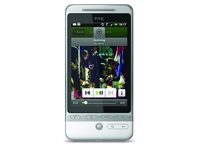
Moto Droid and HTC Eris to launch next week
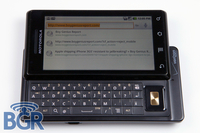
Motorola and HTC are set to launch their next-generation Android phones next week in the US on network Verizon.
The Moto Droid has been hyped so much that the company's stock price has risen on the basis of a favourable early review, while there has been less information on the Eris from HTC, which is said to be an evolution of the Hero.
Both will be launching under the 'Droid' banner on Verizon, so it will be interesting to see whether the Moto Droid is rebadged for the UK (we'll assume it will be after the Dext was re-named from the Cliq in the US).
Do we need another Hero?
But don't get too excited about the Eris - as far as we can make out, the phone is just another version of the Hero, with a similar 528MHz processor and Android 1.5 OS.
If it is launched next Friday, as is stated on BGR, then it will be dwarfed by the excitement over the Moto Droid release, which apparently is rocking Android 2.0 ( we're starting to get confused here too).
But don't worry - HTC has acknowledged the new 2.0 version of Android and will be bringing it out on 'future phones'.
Either way, here in the UK we want the best phones, and we want them now. We'll be chatting to Motorola to find out whether there will be any impending launches - so watch this space.

| |
Read More ...
Muscle sensors: next big thing in game control?

Following the successful press launch of its Project Natal motion control tech at E3 this year, Microsoft is now developing a system of muscle sensing control, with a new Guitar Hero demo showing off what the tech might be capable of.
Microsoft's new control tech lets you play Guitar Hero without using any kind of controller at all, merely attaching some muscle sensors to your arm to register when you move each one of your four fingers on your fret-hand.
Welcome, cyborg
Procrastineering notes that one of their favorite projects this year "was a muscle sensing system that (among other things) allows you to play Guitar Hero without a guitar".
But how does it do this?
By directly sensing "the electrical signals in your arms and maps those to the appropriate button presses" with the technology designed by PhD student Scott Saponas.
If Microsoft has its evil way we will all be fully cyborg-ed up by 2014, with our only form of emotional contact being with a creepy young virtual boy called Milo...

| |
Read More ...
In Depth: 10 easy steps to secure your Linux machine

Whether you use a single desktop or manage a lab full of servers, with the various threats we all face from hackers these days you simply have to make sure you're running a secure ship.
Running Linux gives you some inherent protection from attack, but you still need to take adequate steps to thwart any attempts that people might make to compromise your system.
Here are 10 of the best courses of action that you can take.
1. Create a firewall
It may sound like the most obvious piece of advice (just like using strong passwords), but it's amazing how very few people actually go to the effort of setting up a firewall. Even though you're probably using a router with a built-in firewall, there's no harm in setting up a software one as well.
Graphical firewalls, such as the popular Firestarter, are ideal for defining rules, enabling port forwarding and monitoring events.
2. Disable network servers
Apart from some popular tailor-made desktop distributions, such as Ubuntu, many distros install a plethora of network servers on the assumption you'll be using it as a server.
Even if you do, you should disable the daemons for services you won't be hosting. For example, you won't need the FTP daemon for transferring files onto another computer.
3. Use secure alternatives
Even if you need to allow other people to move files to and from your system, there are more secure options than good old FTP, such as SCP and SFTP.
These are also secure alternatives to Telnet, which transmits data in clear text. Encrypting the data before and after the transfer adds an overhead, but it's definitely worth the few extra few milliseconds it'll take.
4. Revoke non-root access
It's a little inconvenient at first, but you should make sure that normal users can't access system utilities – even harmless ones like fsck and ifconfig. The best way to do this is to use sudo, which is enabled on distros such as Ubuntu.
Sudo operates according to the directions in a file called '/etc/sudoers'. You can edit the file to restrict which commands normal users can run.
5. Copy your logs
Although you've probably never looked at one before, Linux – and any good app that runs on it – keeps detailed logs. Of course, logging doesn't actually prevent an attack, but it can help you track and analyse one if it does happen.
A hacker will usually cover his tracks and doctor the logs, so you should keep a copy of your logs in a non-standard location. You should also enable remote logging, which keeps a copy of the logs on a remote server.
6. Enable password aging
If you manage a bunch of machines, by setting up password aging you force your users to change passwords regularly. So if an account is compromised and the hacker is able to cover his tracks and stay hidden, his access will be clipped at the next password-changing cycle.
7. Restrict root logins
Logging in as 'root' isn't a good idea. You should always log in as a normal user and then work your way up with su or sudo. Many distros will have disabled root login on the graphical user interface, but you should also make sure that no other user logins give you root access. This will force hackers who have the root password to create a user account, which you can then easily disable.
8. Physically secure your machine
Although most attacks occur over the wires and the chances of an attacker gaining physical access to your machine are slim, you should take measures to secure access to your machines.
Password-protect your boot loader, and always lock your screen before leaving. You should also make completely sure that no one can boot your server from an external device.
9. Don't ignore security updates
All popular Linux distros take extreme steps when it comes to critical packages (such as servers). In addition to regular updates, they'll issue special security notices as soon as a vulnerability is discovered in any utility and make updates and patches available to plug them as soon as a fix is available. You should review each security update and apply it if you're using the vulnerable version.
10. Keep an eye on open files
A typical Linux distro has bundles of small nifty utilities. One such utility is lsof, which lists all open files. A 'file' in Unix-land can be anything from a regular text file to a network socket.
While listing open files, lsof will also tell you which process is using a specific port, what its process id is and which user is running it. If you find something out of the ordinary, it'll definitely be worth checking out.

| |
Read More ...
Review: FileMaker Bento 3

Bento 3 is rightly billed as a database application, but it doesn't quite fit the mould of most traditional database software.
Think of it more as a data organiser that lets you bring together, arrange and view all of your data with the minimum of fuss.
Data is organised in Libraries, which would correspond to data tables or files in a conventional database. Within each Library, you can set up multiple Collections that assemble records, either manually or automatically, in the same way that an iTunes playlist gathers music tracks together.
Since the beginning, Bento has featured close integration with Address Book and iCal. It creates a Library for each automatically, and enables you to use and modify their data directly.
With Bento 3, integration has been extended to iPhoto, so you can now add pictures to your records or even use Bento to catalogue your media with more data options than iPhoto itself can provide.
Unlike with iCal and Address Book, though, this is strictly read-only, so you can't use Bento to modify any of iPhoto's fields, such as Rating or Date. One other slightly odd limitation is that Bento can't see iPhoto Events data.
If, like many people, you use Events to organise your iPhoto library, this may be an issue.
On the Grid To go with its ability to display photos, Bento offers a new Grid layout that provides a visual overview of your records. This is obviously ideal for pictures, but it can also show a thumbnail view of any form layout.
Organise your data
Other welcome changes include the addition of folders to help organise your libraries, additional themes for forms, and simple list fields, which enable you to put multiple entries into a single field. Although it's aimed primarily at home users, Bento can work for small businesses too.
The stumbling block has always been its lack of security and its inability to share data with other users. Both these objections are swept away in Bento 3, which enables you to share your data with up to five users on a network.
Once this is set up, any available libraries will be found automatically by Bonjour, just like shared iTunes libraries and playlists.

To provide basic security, you can set a password for the whole database or any library within it, and you can also encrypt individual fields. A separate password controls network access.
Priced at آ£29.95, Bento offers excellent value for money. Even better is the five-user licence for just آ£59.95. Existing users of Bento 1 or 2 can claim a آ£10 rebate when they upgrade, but only for a limited, and unspecified, period. This is clearly a response to the outcry that arose last year when Bento 2 was released with no discount offered for upgraders.
However, if the time limit feels too restrictive, it still may not please all existing Bento users.
Despite a few niggles, Bento offers a versatile and uncomplicated approach to databases that should appeal to many people.
This latest upgrade is a substantial one that brings many new features and improved usability. With a 30-day free trial available, it's well worth giving it a try.
Related Links
| |
Read More ...
Opinion: The internet has ended the art of goofing off

Sometimes, the dog really does eat your homework. That's my excuse anyway, as I hide in a basement cupboard, frantically writing this column that I've been telling the Editor has been finished for the last week or so.
On Friday, it was merely late, but it was a Friday after all, and it needed a few little tweaks. It could wait until after the weekend.
On Monday, it was both finished and perfect… but I accidentally left it on my computer at home. Tuesday: oops, corrupted archive. Why a corrupted archive?
It's tougher to open up and poke around in than a corrupted text document, especially when dealing with a suspicious and persistent Editor who increasingly thinks you have weasel DNA in your ancestry. Hmm. I hope he doesn't read this…
I think most people, on some level, have mixed feelings whenever the world takes new steps to make sure we're all doing what we're meant to be doing. Keycards that clock us into the office in the morning, surveillance cameras, ISPs tracking our clicks, and so on.
We might approve of, say, punctuality or security and openness, but in practice, what we really want is for other people to abide by them.
Look at any government for proof of that: how is it that MP's expenses forms can go through with just a signature, while our tax forms demand page after page of endless blather?
The standard shrug is along the lines of 'if you're not doing anything wrong, you have nothing to fear', which sounds fine – except that by nature, our initial impulse when things go wrong isn't usually to fess up and take our medicine. No. The sane person instantly deflects the blame, rationalises the act and tries to wriggle out of it through even the smallest aperture.
Just ask any policeman who's ever been ticked off by a busted driver for handing out speeding tickets while serial killers run free. And stop.
You too are a weasel
If you're even now saying 'oh, but that's completely different' – congratulations! You too are a weasel. Step over here to collect your ceremonial twitchy whiskers, tail and book of surprisingly ineffective excuses. Oh, and mind out for those half pounds of tuppenny rice and treacle in the corner.
Things could get messy. When it comes to weaselling, computers are the enemy. They're binary creatures able to accept only 'yes' or 'no', with no room for the far more important 'Yes, as long as you consider…' or 'No, but…' that make the world go round. And it's only becoming worse over time.
Services like Gmail mean never being able to say that your company's spam filters ate the attachment. Always-on machines and file servers mean that the old days of any deadline having an extra night's 'retrieving' reprieve are a thing of the past.
Honestly, it's getting so bad, you can't even get away with the old 'my internet was down' routine, not when your boss/colleague/friend/other bastard can hit a couple of keys and not only tell you that it was up, but what music you were listening to, courtesy of some Twitter/Facebook plug-in. Clearly, these are dark times.
One way of fixing this would be for the world to harden up and for all of us to mutually agree that we've had a good run, it was fun being able to offer plausible excuses for naughtiness, but we're all now members of a society where we live up to our responsibilities like good boys and girls.
Rebuilding the weasel technology
On the other hand, we could try something that might actually work. Our weasel technology must be rebuilt – weaker, slower, more fallible – until it once again provides an active defence against these so-called 'people who pay our wages' and 'people who trust us to do the right thing'. Imagine the possibilities!
Fire alarms that can be set off by iPhone, distracting everyone just as they ask for your contribution! Invisible ink printers so that you can hand your boss your 'work', only to have it mysteriously vanish by the time they sit down to actually read it! Buses and trains that guarantee to be delayed, giving everyone on board a couple of hours grace period to sleep/finish their work/beat their high score in Peggle! Utopia!
Best of all, I see services that draw on fellow weasels to, at a moment's notice, seed places like Facebook with messages like 'Sorry, I accidentally put up a photo from the last party by mistake, the one you only just made because you were in the office pulling a 48-hour shift to get that important project in on time and under-budget, even though you haven't had a raise for five years, you handsome devil, you.'
There's just one problem with all these services. Since weasels will be building them (for who else can we trust) we probably shouldn't expect any of them immediately. After all, there's always so much good stuff on TV. It'll all be sorted out though. Honest. First thing tomorrow. Friday at the latest.

| |
Read More ...
Review: Apple Snow Leopard Server 10.6

Forget 'think different', the motto for the آ£29 Snow Leopard upgrade was 'think thin': hold the new features and concentrate on making it lean and fast. At آ£399, Snow Leopard Server 10.6 is cheaper too: its motto is 'bigger, better, faster, more'.
'64-bit kernel' might not mean much to desktop users, but on a server it means you can access more memory, keeping more balls in the air at one time and making applications and data access faster.
Apple has in fact just released a server edition of the Mac mini (آ£800), adding 4GB of memory, dual 500GB hard drives and a copy of Snow Leopard Server 10.6.
Successfully simple
Server's mission is to keep things simple – no arcane training required. Installation is as simple as the client version. (The only technical issue: to access server services from the internet you need a fixed IP number and a DNS entry from your ISP.)
After restart, a Next Steps hints and tips document tailored to your installation appears on the desktop. In use, Admin is via the Server Preferences app: here you add users, control the services offered and check on how things are running. (But, if you really must get under the hood, the old Server Admin, Workgroup Manager, and XGrid Admin tools are still there.)
Server 10.6 provides file sharing for Mac, Windows and UNIX (Linux) users via standard protocols – AFP, SMB and NFS. The 64-bit optimisations offer substantial speed improvements – more than double for non-Mac clients.
Like 10.5, it supports centralised Time Machine backups but they still tend to devour your storage.
Apple claims the re-written Mail Server is twice as fast, faster than a dedicated Sun Java Messaging Server. It seamlessly ties into the users and groups, every new user automatically gets an email account, and new groups get mailing lists.
Standard mail protocols cater to Mac and PC clients, plus there's a built-in webmail client. iPhone users get push email, and server-side rules for pre-filtering emails and out-of-office replies.
Security-wise, there are spam and virus filters and support for blacklist servers. Small businesses take note: internal emails need never cross your firewall, and users won't need advert-laden Gmail accounts on Google servers. (Server includes iChat Server, so problems with careless users IMing attachments through your firewall also vanish.)
iCal Server 2 offers improved calendar sharing. You can view others' schedules, book rooms and search for the next slot when all invitees are free. With push notifications and improved iPhone support, there's no need to sync your iPhone to get diary updates.

Apple (plus Oracle, IBM and Google) are championing CardDAV – an open standard for sharing vCards over HTTP. Using CardDAV, the new Address Book Server shares contacts among 10.6 users, so that every user has the latest details.
MS Outlook has no direct support for CardDAV, but there are third-party plug-ins, and LDAPs still there for PC users (and 10.5 users without Address Book 5); Server enables CardDAV users to search these existing services.
Key new features
Server 10.6 also offers external services. Easy-to-configure Apache based web hosting is a given, but also included are wiki and blog hosting – with Apple's ease-of-use twist. Again, they're integrated into user admin.
New users get their own blogs and groups get their own wikis, which are searchable, with per-page or per-search RSS feeds. Given the profusion of users' calendars, blogs, and mail lists, Server offers MyPage, which tracks interesting posts, comments and notifications for you.
The coolest feature is online Quick Look: browse to a page from an external PC, click on the icon next to a document and a window with the document's content pops up, even if it's in a non-PC app.
Apple's big new feature, though, is Podcast Producer 2, a podcasting suite to simplify standardised podcasts materials – no lecture theatre or training room should be without a copy.
In Podcast Capture on your Mac, select a workflow from the server, the podcast type (live feed, document based, pre-existing video and so on), add a title and description and record.

When you're done, Podcast Producer takes your material and: adds titles, transitions, watermarks and so on; encodes it; publishes it to a blog, FTP, iTunes, or, via Streaming Server, to iPhones; and notifies you that it's done via iChat, RSS, Atom, or the wiki.
For Mac-only offices, Snow Leopard Server is a no-brainer. There are issues for mixed environments but, for most small users, the huge functionality outweighs the cost.
It's impossible to get a Microsoft server solution for the same money, and even then, they'll nickel-and-dime you to death with extra client licensing costs.
Ubuntu's Linux server is of course free, and a snap to install. But for ease of use and Mac integration, آ£400 is a steal.
Related Links
| |
Read More ...
Mandelson pushes ahead with 'three strikes' policy

Business Secretary Lord Mandelson has claimed that the government will cut off repeat piracy offenders from the internet, starting summer 2011.
Showing a shocking lack of basic knowledge of how internet technology works, Lord Mandelson wants repeat offenders' internet connections disconnected within 15 months from their offence.
Details on how this will be policed, funded and how repeat offenders will be stopped from connecting to the internet via a different ISP (using a different name/identity where necessary) were not outlined.
Mandy outlined how the cut-off plan will be a two stage process. Stage one is receiving a warning letter, following by an (indefinite) number of further warning letters, threatening action if the ISP account holder continues to download illegally.
Stage one: steal underpants
Stage two will be legal action taken by the rights holder against persistent offenders, who will also be placed on a "serious infringer list" - with Ofcom acting as the organisation to hear appeals.
Ofcom will report quarterly to the Secretary of State, and is charged with reducing piracy in the UK by seventy per cent.
Lord Mandelson admitted this was a "three strikes" policy.
"Technical measures will be a last resort and I have no expectation of mass suspensions resulting," said the Business Secretary.
ISPs and rights holders are apparently going to share the costs of administering Mandelson's new policy.
TechRadar has contacted a number of leading ISPs in the UK today for further comment.
"We need to make breaking the law an unnecessary risk. All the rules need to be sensible and need to be up to date," Mandelson said, noting that moving a purchased song from a CD to iPod or from a computer to an affiliated iPod was still technically illegal.
Morally unsustainable
Mandelson was clear that: "Taking people's work without due payment is wrong. It is not just morally unacceptable but it is unsustainable... The days of consequence free online infringement are over."
"I'm a big defender of an economy based on making things… in terms of added value the difference between making a car or a plane or a television programme or computer game is a meaningless one."
You can see more on Mandelson's controversial Cabinet Forum Conference this morning online.

| |
Read More ...
Asustek shows off Tesla sub-supercompter

Asustek has revealed its plans for a powerful computer in conjunction with Nvidia and Chiao Tung University in Taiwan.
The Taiwanese computer giant unveiled its ESC1000 personal super at an event in Taipei, although The Register points out that it doesn't quite fit its popular billing as a 'supercomputer'.
Computerworld suggests that the computer can reach speeds of 1.1 teraflops – in single-precision floating point math.
Tesla
The Asus ESC1000 comes with a 3.33GHz Intel LGA1366 Xeon W3580 microprocessor designed for use in servers, three Tesla C1060 Computing Processors and a Quadro FX5800 graphics card.
Price-wise, it's been suggested that an ESC1000 will set you back between آ£9,000 and آ£13,000
At this point we normally ask whether it would be able to run Crysis at its highest settings, but we've probably done that joke to death.

| |
Read More ...
Review: Samsung ST1000

Well, it's not supposed to work like this. High-end, feature-packed cameras are usually, frankly, a mess: flaky, oddball features, a Frankenstein interface of patchwork hideousness, an image quality that, ultimately, feels like an afterthought… But the Samsung ST1000 is different.
It feels beautifully built – even if the decision to place the lens where it is means you're in danger of taking too many photos of your left index finger – and the 3.5-inch touchscreen on the back is just stunning.
It has super-high pixel density, great colour and the interface is actually usable without having to turn to the manual.
The pictures are good too – 12.2 megapixels is a little much to ask of a compact camera's sensor, so there's some smearing and noise at 100% (especially noticeable in low light), but otherwise they're fine.
No RAW
Granted, there's no RAW option, and an entry level DLSR is going to trounce it on image quality alone – for just آ£150 or so more – but the JPEGs sufficiently hold their own.
The 720p movies, recorded in an iMovie-friendly H.264 format, are good, though detail is smudged and a tad over-sharpened.
Best of all though, the advanced technology stuffed into this camera actually works. Given a few minutes to get a lock, the GPS circuitry can embed the location each shot was taken into the JPEG's metadata. The accuracy varies according to different conditions, but it's never usually more than a few metres out.
The Places feature of iPhoto can then use this data to pin photos to a map, or to build Smart Albums based on where photos were shot. Images uploaded to Flickr can (optionally) maintain this data, though an apparent bug in how Google truncates coordinates means that Picasa and Google Maps get the location wrong.
You can upload the images to Picasa and Facebook directly from the camera over Wi-Fi but, while the ST1000 supports WEP/WPA, it won't work with paid-for hotspots that require a login.
Related Links
| |
Read More ...
Android 2.0 SDK launched by Google

Google has released the SDK for Android 2.0, with an official video showing off what the second iteration of the open mobile OS will bring.
Android has already proven to be hugely popular for handset manufacturers, and the 2.0 build brings a whole host of improvements.
Overhaul
They include an overhaul of the contacts and email synchronization, exchange support, combined inboxes for mail and search through both SMS and MMS.
Camera phones will now have the option of built in flash support as well as digital zoom, white balance and macro focus.
The browser has been given a makeover, which includes HTML5 support and Bluetooth 2.1 is now supported.

| |
Read More ...
Sky to try again with Xbox launch

After an aborted launch on Tuesday, Sky and Xbox are hoping that they can finally allow the public onto the eagerly anticipated Sky Player for Xbox 360 24 hours later.
On a day that caused both companies major embarrassment, the roll out of the VOD and streaming television service was suspended because of a problem.
"The service has been suspended due to an unforeseen technical issue." Sky said in a statement.
"Sky Player engineers are hard at work to resolve the problem. We expect to have the full service available on Wednesday."
Six months of planning
The Sky Player on Xbox project was announced back in May, but despite nearly six months to get things off the ground the launch did not go as planned.
Comments on TechRadar pointed to the problem early on launch day, with one person suggesting that: 'this is a disaster for Microsoft!'.
And that could get worse unless Microsoft and Sky can get the service up and running this week.

| |
Read More ...
In-depth: Microsoft dismisses 'cloud gaming', analyst predicts Apple console

As part of this year's annual London Games Festival, this week saw the games industry's inaugural London Games Conference, with the great and the good of the British industry gathering at BAFTA to discuss the future of gaming.
The overall theme of the conference was nothing less than the ol' chestnut of "Digital Distribution and the Future of the European Games Market" with many leading games developers, publishers, retailers, distributors and hardware manufacturers speaking about and debating the issue of DLC versus 'traditional' boxed games in high street retail stores.
Elsewhere at LGF 09, Microsoft dismissed the recent hype about 'cloud gaming' with Xbox Live EMEA boss Jerry Johnson telling the BAFTA audience that streaming machines will simply NOT be mass-market "for the foreseeable future."
Talking about streaming services such as OnLive and Dave Perry's Gaikai - that have received considerable PR coverage throughout the last year – the Microsoft man stressed his belief that "streaming technology is something that the industry is betting on longer term... right now I don't believe that technology can scale out against the experience we can offer on a local machine."
Johnson added that: "The technology will continue to improve. As an industry we'll have to accept that and move with it - but I don't think it's on an accelerated timeline for the foreseeable future."
The death of the disc
Next up, there was much discussion, debate and general chin-stroking around the overall theme at LGF '09, with many wanting the definitive answer on the thorny question of when digital download sales were finally going to overtake sales of 'traditional' boxed games on discs.
Renowned industry analyst Nick Parker claims that, according to his research, the tipping point ('the iTunes moment') will occur in 2014, when the games industry "might have some parity between digital distribution and retail."
In terms of predicting the 'next gen' of gaming hardware, Parker refused to be drawn on specifics, although he was keen to speculate that it would not be too surprising to see Apple launch a dedicated gaming console based around Intel's Larabee chip.
The suggestion was that a company such as Apple could well take the gaming industry by storm, with Parker expecting "one big new entrant to shake up the eco-system".
The Tories' Shadow Culture Minister Ed Vaizey was also on hand to pledge his party's support for the UK games industry, attacking Gordon Brown's government for what he sees as a clear lack of faith in the flourishing sector.
Vaizey stressed that he plans to promote a culture of 'investment and risk-taking' under a Conservative Government. He also wants to extend the remit of the UK's Film Council to cover games and give the industry the "national voice it deserves."
Labour not 'getting' games
The Tory MP also took the opportunity to criticise Labour, telling the BAFTA audience: "As in so many other areas, Labour ministers simply do not seem to care that we are falling behind our competitors in a critically important economic growth area."
"Gordon Brown's economic mis-management means the UK government simply has not had the fiscal headroom to offer the kind of support that has been available in some other countries. But just because they cannot offer tax breaks, does not excuse them actively doing down the industry," said the Shadow Culture Minister.
"NESTA's research suggests the UK videogames sector could shrink by 16.5 per cent over five years, resulting in the loss of more than GBP 180 million in external investment and nearly 1700 jobs," he added. "I would love nothing more than to work with you to facilitate the investment and risk-taking the industry needs... Britain is broke, but this creates an opportunity to shape policies that assist the high tech entrepreneurs that will drive our economy in the future. The video games sector must play a key part in this."
Tough words from the Tories. And with the general election looming at some point in 2010, the party could well have a lot of support from British games developers and publishing execs, unless Labour rapidly changes tack and realises the party political points to be gained in actively supporting one of Britain's fastest-moving industries.
For more on the London Games Festival 2009 programme head over to http://www.londongamesfestival.co.uk
Related Links
| |
Read More ...
Exclusive: Google wants to Wave hello to Microsoft and Apple

Google Wave developer Lars Rasmussen has told TechRadar that he would love to see Microsoft, Facebook and Apple all producing their takes on Wave technology.
Google's communications meets productivity tool is already causing, ahem, waves, with a massive oversubscription of people wanting to test the pre-beta 'preview' build, which is currently available by invite only.
Rasmussen, who is the co-creator of Wave, is keen for the tool to be as open as possible, and for other major companies to join in and make their own tools – as long as they remain interoperable.
"We've taken inspiration from a million places including Facebook," said Rasmussen. "And it would be flattering if they took inspiration from us.
"I mean that seriously, that would be nice."

"What we would hope to see happen is that a wave is not just a Google site, it's a protocol - an open technology that we're hoping others will pick up.
"There are lots of ways that people could do that - they could build their own wave server and we'll supply more and more code to make that easier for them or we could make an arrangement where they use our wave server to make waves accessible for their users."
Interoperability
Interoperability is the key word for Rasmussen who explained that the presence of some proprietary technology from Google is making opening up the code a slow process, but one to which he is committed.
"What we're hoping will happen is that interoperability becomes a big deal," Rasmussen told TechRadar. "From the beginning when we started doing this it was not to build a core of communicating that would become another closed silo on the internet; there's too many of those.
"I think we often talk about email and how successful it was, how remarkable it was considering how old the technology was.
"We think the primary reason is that it had a protocol – that anyone could build a mail server and allow users to talk to their users.
"But there are lots of things on the internet that are proprietary closed things, if you are IMing anyone, for example, you have to have the several IM programmes, and I include our own in that.
"So we wanted Wave from the beginning to be open so if someone wants to build even a competing product we'll work with them and support them and make it interoperate with ours – assuming the other party is interested of course.
"But the way we look at it is because it's a communication tool our users will benefit from other people having waves.
Microsoft, Apple and Yahoo
When asked if Google would welcome Microsoft and Apple making their own Wave clients, Rasmussen made it clear that he would.
"That would be awesome – although it doesn't sound super-likely – but it would be awesome," he added.
"We've always said we are looking forward to a Microsoft Wave, an Apple Wave or a Yahoo Wave or whatever – as long as they are interoperable so that our users can talk to their users.
"We try to make it so that there is also room for balance - so there is room to compete but we don't want it super locked down so we are all forced to build same thing, but we want it to be interoperable regardless."

| |
Read More ...
Review: Apple Magic Mouse

Let's be clear about this from the start - Apple does not have a good track record with mice.
For years Apple mice had just one button, and Apple, thinking it knew best, refused to budge from this overly simplistic design even in the face of rising criticism from its own customers who simply wanted to stop being laughed at by their PC-using colleagues.
Right-clicking is now such a fundamental action when using desktop computer that it's hard to believe that Apple held out until the Mighty Mouse (now renamed Apple Mouse thanks to a law suit) in 2005.
While the Mighty Mouse gave Mac users the ability to right-click without having to switch to a Microsoft or Logitech Mouse (which almost all of them had done at that point), it was still not without its problems either - chiefly that the "revolutionary" trackball for 360 degree scrolling clogged up far too quickly with grime, in some cases rendering it completely unusable.
It was also bulky and the right-click could be unresponsive. In short, it wasn't a hit.
Fast forward to 2009 and Apple has re-invented the whole concept of mice (again) with the Magic Mouse.

But why the short history lesson? Well, Apple's new Magic Mouse isn't like ordinary mice. We're not talking about the fact that it's the world's first mult-touch mouse here (there is no two button/one button debate anymore, since the whole mouse IS a button).

We're talking about the fact that it won't actually work on a Windows PC. Yes, the Magic Mouse is Mac-only, so if you're a PC owner you might as well stop reading now.

Still with us? Good, now those PC owners have gone, we can have a real discussion about what this mice means to Mac owners.
First of all, it's Bluetooth-only, and there's no wired option. Its body is a graceful convex curve. In your hand it feels a lot weightier than the Mighty Mouse, and in pristine Apple white it certainly looks the part.
The big news, of course, is mult-touch technology. The whole top surface of the Magic Mouse is touch-sensitive, so you can perform gestures on it, like you can with Apple's iPhone or MacBook trackpads.

Simply drag your finger up and down the mouse to scroll up and down inside any open windows. This also works with a left and right action to scroll sideways, and you can move your finger around in a circle to scroll 360 degrees in graphic apps, like Photoshop, Preview and iPhoto, when you're zoomed into a document.

This works much better than the old trackball, since obviously there are no moving parts to get clogged up.
By default you scroll "with momentum", which is similar to the way lists on the iPhone continue to move a bit after you flick your finger, then slow down to a stop, however you can turn this off in the preferences if you don't like it.
According to Apple you're only supposed to use one finger for scrolling about, but if you've used a MacBook trackpad before you'll be used to using two finger tips for scrolling, and the mouse still seems to handle two finger scrolling perfectly well, it's just not officially recommended, because you might get the occasional stutter.

When you click the whole surface depresses with a satisfying sound. Clicking anywhere can register as a left-click, but the top right area is reserved for right-clicking. If you're one of the 0.002% of people in the world who don't want a right-click area you can assign this back to a left-click in the preference settings.
Now we've covered the basics we can get into the features that will make Windows users jealous.

You can swipe two fingers horizontally (the Magic Mouse can tell the difference between two fingers touching and just one) to move forward or backwards between web pages in Safari and photos in iPhoto. It's a neat feature, and once you get used to it you'll find you do start to use it a lot.
Hold down Ctrl and drag a finger up or down and you can zoom into the whole of your Mac screen. This feature has been available in OS X for a long time (as part of the Accessibility settings), but its nice to see it being utilised so well here, but it will mainly be of interest to visually impaired users.

And, unfortunately, that's it… With multi-touch technology finally being implemented on a mouse we were expecting more. The ability to scroll, swipe, and left or right-click seems a bit limited. What about the famous pinch gestures for zooming-in that we're used to using on the iPhone? For once Apple is lacking enough innovative new features here.

A few concerns have been voiced about its ergonomics, too, but we'd disagree. We've been using it in Photoshop, Safari, iTunes, Microsoft Word and all manner of other apps without a problem. In all cases, the Magic Mouse is sharp and responsive, but the fear is that all this new finger twiddling will leave people crippled with RSI. We'd beg to differ.
The increased range of motion it puts your fingers through actually means your actions are less repetitive. In fact, we'd say it was a pleasure to use, especially after our daily battle with trying to get a two-year-old Mighty Mouse to simply scroll up and down within a window in Safari.
It also lacks the side buttons of Mighty Mouse, too. These were popular choices for Exposأ© or Dashboard, and some Mac users used the trackball as a button itself, which was the Apple equivalent of a middle-button. None of these options are now available, so again the Magic Mouse ends up feeling a bit basic, despite all its advanced technology.

But while button-obsessed gamers will be disappointed, graphic designer-types will be overjoyed. Graphic designers have to frequently drag windows and palettes around very large screens and often run out of desk space.
Because of this they hated the Mighty Mouse because if you lifted the mouse off your desk to re-position it, you'd stop clicking, which made dragging windows difficult. The Magic Mouse has none of these problems. Click and lift it off the desk to reposition the mouse and you stay 'clicked'.

So, the Magic Mouse arrives with more of a whimper than a bang. It's a solid performer and definite improvement over all of Apple's previous mice, it's just that it feels like there's a lot more Apple could have done with this technology.
We love Apple's desire to simplify everything down to the bare minimum, because with computers that means no horrible logos, unnecessary buttons on keyboards and an elegant operating system. However, with mice, less is sometimes just that - less.
Maybe Steve Jobs and co are holding out to add more features via a future software update, in a similar way to the way that they periodically update the iPhone with new features. Let's hope so.
Related Links
| |
Read More ...
SuperSpeed USB comes to Asus mobos

Asus has announced that it is bringing USB 3.0 to its motherboards, with the Xtreme P7P55D-E Series given on-board support.
SuperSpeed USB 3.0 is still in its early stages, but the technology is beginning to make its debut on devices across the computer world.
Asus has decided that the time is ripe for it to integrate SuperSpeed USB onto its motherboards and as well as the support on the Xtreme P7P55D-E Series, the ASUS Xtreme Design P7P55D Series 'utilises the ASUS U3S6 PCIe x4 expansion card to deliver the latest USB and SATA data transfer capabilities.'
The high end boards are based around the Intel P55 chipset, support LGA 1156 socket Core i7 and Core i5 processors from Intel and have Asus' Hybrid technology.
Unique expansion bridge
In Asus' words: "ASUS' unique expansion bridge design fully unleashes USB 3.0 and SATA 6Gb/s transfer rates for both the P7P55D-E Series and the U3S6 expansion card.
"This specially-designed onboard IC doubles the bandwidth of the PCIe interface from Gen 1 to Gen 2, delivering ten times faster USB 3.0 throughput compared to the previous USB 2.0 standard.
"Additionally, by eliminating transmission bottlenecks, the expansion bridge increases hard disk read and write speeds by up to 50%. Transferring a 20GB HD movie now takes less than 70 seconds, while a 4MB song requires less than 0.01sec.
"Similarly, by inserting the ASUS U3S6 PCIe x4 expansion card into P7P55D Series motherboards, users can achieve the same rapid throughput with the latest USB 3.0 devices and SATA hard disks."

| |
Read More ...
Review: BlackBerry Storm 2

RIM has rebooted its touchscreen range with the Storm 2 9520, featuring re-tooled clickable touchscreen technology and new, intuitive text input options.
It's still going to be seen as RIM's attempt to rival the likes of the iPhone 3GS, Palm Pre and HTC Hero, but are the updates on the Storm 2 enough to fix the issues that were so widely condemned on the original Storm?
The Storm 2 is the same size as the original, but 5g heavier. We'd have imagined this would have given it a weightier and premium feel, but in practice this isn't the case with the phone feeling a little too heavy in the hand.

However, it sits well in the palm, with minimal dexterity needed to shuffle up and down the screen and also hit the on/lock screen button on the top left-hand side, which is a crucial feature often missed by mobile designers.
The Storm 2 is pretty button-packed around the edges, with a number of rubberised buttons (which are apparently manufactured this way to stop them falling off, a problem with the original Storm).

The left-hand side of the device holds the microUSB port (without cover, so watch out that it doesn't get too dirty in there) and a function key that can be re-assigned to provide access to your favourite shortcut.
The top of the phone hold two buttons embedded into the phone itself – the power/lock button and the mute key. The 3.5mm headphone jack is now recessed into the phone and lives on the right-hand side of the phone, just above the rubber-cased volume/up and down keys.
Finally the camera shutter button is also located on the right-hand side, although far enough away from the other keys that you can easily avoid striking it.

The buttons on the front of the phone – call, menu, return and terminate –have been embedded into the LCD screen for the new Storm 2, as these were also apparently prone to falling off. They're now part of the SurePress click screen too, making them ever so slightly harder to use in one hand mode.
The button layout is well thought through – the only slightly difficult key to hit is the mute key on the top right. However, given we probably used this least (and only when we got a call) that wasn't the end of the world.
The screen is built on four piezoelectric sensors, and clicks when you press down on it. This system is similar to the first Storm, which also used a clickable screen (known as SurePress) but where that only had one mechanical sensor, the Storm 2 has four.

This means the screen has less travel in it, and is easier to press down. You can also click two parts of the LCD at once, which means faster typing.
But when the phone is put into sleep mode, RIM has come up with a cool trick – the screen will lock and cannot be clicked down. This obviously annoyed enough people on the first Storm for the company to change it, and it's very cool.
The call/terminate keys can be pressed though, meaning the screen will light up if you accidentally strike down there. Speaking of lights, there's an LED indicator at the top which blinks different colours for things likes charging and new messages - handy when the Storm 2 is in sleep mode.
The idea of the locked screen is to add to the premium feel of the device – constant pressing of the old Storm's screen made the whole process feel a little bit cheap and poorly made.

There's another problem with the Storm 2 though, and that's that the battery cover doesn't sit so well on the rear of the phone, meaning that there's a little bit of give in it.
This means that when you hold the phone in your hand there's a lot of movement in the supposedly static chassis, which once again ruins the premium feel.
Removing the metallic battery cover is difficult too – it can't be done with a finger so you'll need to find some extra implement to help you. It's an odd choice, and we thought there might be something in the box to help, but there isn't.
The microSD slot lives under the battery cover, next to the not-insubstantial 1400mAh battery, which falls out with a simple pat. It's a simple system, although the fact it feels like it's guarded by Cerberus himself thanks to the locked down battery cover is very annoying.
In the box
The BlackBerry Storm 2 box is as luxurious as you'd expect a flagship device to be. RIM has thoroughly eschewed the minimal packaging favoured by HTC and Apple, and gone with a nice black box.

The phone is centre stage when you open it up, but beneath layers of cardboard live a whole host of goodies. We're talking microUSB travel charger (why do we have to have a travel version? We want a home one!), USB cable, 3.5mm headphones, a pouch and a nice cloth to wipe the screen with.

The headphones are average quality but double as a hands-free kit with call answer button, and are decked out in a nice chrome and silver look – if that's your kind of thing.
The Storm 2 is sporting the new BB OS 5.0 interface, meaning the latest in functionality and gadgetry RIM has to offer.
The main thing about the Storm 2 interface is the fact that it feels like it's two phones – one as a normal touchscreen, which is a nice and responsive capacitive effort, and another the clickable display, which confirms any selection you make.
It's very disconcerting the first time you use it – it takes a long time to start trusting this method, as your natural reaction is that pushing into the screen is going to ruin accuracy.

The first thing you'll notice when turning on the Storm 2 is just how long it takes to boot up - we're talking minutes here. All well and good the first time you turn it on – a little more annoying when you find you have to do it with every subsequent boot-up whenever the battery is removed.
The interface itself is a fairly clean affair, especially if you're familiar with a BlackBerry – the home screen offers a half menu in portrait mode, with your eight favourite applications, and when moved into landscape all the menu icons become available.
Pretty much every icon on the screen can be clicked on to display further information – such as the connections tab in the top right-hand corner, which gives access to the full list of all active and inactive connections on offer, such as Wi-Fi, Bluetooth and mobile data.

As we mentioned earlier, the Storm 2's capacitive screen is excellent, and has been upgraded over the original. This means dynamic scrolling with a really fluid motion that puts it on a par with a number of other touchscreen smartphones on the market, such as the iPhone 3GS or Palm Pre.
The screen is well set for touch input, with each icon well sized for a finger. And it needs to be, as to make a choice on any element of the screen you need to click down, which as we said before can be a little disconcerting.
And try as we might, we can't see ourselves ever becoming fans of the SurePress technology. Essentially, it's hard to see the point of it – RIM clearly realised that its customers crave a QWERTY keyboard or similar, so it tried to mimic the sensation of pressing buttons.

But the difference is that touchscreens are quickly becoming mainstream and their text input understood, and we'd have to question why it's necessary to include an extra level of input into the whole affair.
We're not saying the SurePress doesn't work, but it does get a bit tiresome to use over and over again. Also, sometimes the OS can slow down slightly, and when this happens all the buttons will lock, meaning you can't do anything until the system has fixed the momentary issue.
The difference between the BlackBerry OS and other systems is that each screen is fairly minimal, with further information options activated by hitting the menu button.
This is a nice touch, as elements like messaging or contacts aren't cluttered up with extra icons to expand the selection.

Overall, we're impressed with the BB OS 5.0 interface, and especially the way it's been implemented on the Storm 2. Very rarely could we find a time when the phone would slow down or lag in a noticeable way, and most things popped up the second we asked them too, which is a real bonus in a smartphone.
It could all do with being a bit less convoluted, but mobile phone ecosystems are built on evolution rather than revolution – RIM wouldn't want to completely re-invent the BB OS just to make it seem more 'iPhone-like'.
Call quality on the BlackBerry Storm 2 is excellent, which isn't something we were expecting on a messaging-centric device.
The clarity both to and from the caller was crystal clear, although we did have a few problems with dropped calls. In one instance the call dropped three times in the space of four minutes – it was almost iPhone-like in its stability (which is not something to aspire to).
We're hoping it's a one-off problem with the device we were given, or a temporary problem with the network, but it's the first time this has happened to us and it's always odd when a random problem affects a review handset.

Coverage was good though, with 3G hanging on well when necessary. One quibble would be an apparent desire to drop to GPRS on occasion when it was proved we had two bars of signal – clearly RIM is looking for a more stable signal for voice and messaging rather than looking at a fast connection at all times, which you can understand given its low-data heritage.
The calling interface was good though, with an easy-to-read set of names laid out on a white background. Scrolling through was easy enough, either through a simple flick or by clicking the down arrow to move through at a faster pace.
At the top there's the option of looking through the list by searching for the name – but we don't think anyone's going to do that on a touchscreen as it's simply too much effort.
If you've got Facebook Connect added to the Storm 2, you also get a spot of Facebook notification as well with your contacts. Scrolling through the list will show where they work (or what group they belong to) and will also add in their Facebook picture too.

We're great fans of this functionality on the Motorola Dext and the HTC Hero, and it's good to see it here. It also means you can poke or message the person direct from their contact profile, which takes the hassle out of social networking.

There's a variety of information you can add to a contact to make it easier to interact with them from the Storm 2 – obviously you can pop a picture on there, but you can also add a birthday, web page or company information too, which is useful when it's a work contact (or someone you like to stalk but are pretty forgetful).
The dialler is similarly simple to use – it has large, easy-to-hit buttons and a call list to choose from. It doesn't allow smart dialling (where you can start typing a name using the keypad and it presents a list of possible names to choose from based on the keystroke combination) but you can select a contact and find out your exact call history to and from that number.
As you can imagine, it's at this point the BlackBerry Storm 2 comes into its own – messaging is just a dream. We'll get one of the major negative points out of the way first – although Facebook Connect is provided, there's no support for other social-networking applications in terms of direct messaging.
It might sound petty, but the likes of the Motorola Dext have shown us how awesome it is to be able to send messages directly from the contacts menu.
But enough of that negativity, things are all looking up from here. The main thing to note is that the Storm 2 is built on a strong core of BlackBerry Enterprise connectivity – providing your company supports it, email set up is as easy as entering your address and password (and perhaps a few extra details depending on your server).

It is a little bit of a hassle having to register online to set the account in motion, but once that's done it's plain sailing.
Similarly, if you're on an Exchange platform, you can access corporate email that way – but you'll have to download a pretty pricey piece of software to do so.
Messaging is a breeze on the Storm 2 though, thanks to a radically overhauled text input system with BB OS 5.0. Basically you can enter text as fast as you like, and if you're working with commonly used words the intuitive text auto-correct will take over nicely.
This means you can really speed up on typing things out, and emailing becomes a breeze. We're not fans of the SurePress screen as we've stated above, as even the simple task of entering the message editor is a bit difficult by having to click here, there and everywhere.

But once you get going, entering text is blindingly simple. We're currently also using an Acer NeoTouch, based on Windows Mobile, and trying to enter text with any degree of accuracy is terrible. We then switch to the BlackBerry Storm 2, and it feels like the difference between swimming in treacle and pure spring water.
Add to that the fact it's super easy to copy and paste (simply tap the screen and grab the bars that appear left and right to select) and we can see why RIM remains king of the message. You can also search for messages from a certain contact simply by holding down on their name – the search quickly returns all options.
If texting isn't your thing and you don't fancy a spot of corporate email, it's similarly easy to add in your personal email as well, with the same simple email and password options used to create the account.
In fact, you can add up to 10 email accounts on the Storm 2, so you'll never run out of places to receive all that important electronic mail from. In fact the only downside is there's nowhere to store a pigeon, as it seems all other forms of communication are catered for.
The messaging centre allows you to view all your received mail at once – be it Facebook, SMS or email. You can also choose to start an IM conversation from here too, with the likes of Google Talk and Yahoo Messenger included in the box.
As you can see, messaging is a real winner on the Storm 2, and far better than the original thanks to auto-correct and a multi-touchscreen, which lets you type on two areas at once. If RIM could have thought of another way of entering text without the SurePress, we would have preferred it, but we guess there will be some fans out there.
Messaging is a hard act to follow, and the internet browser doesn't really manage it with any kind of aplomb.
The touchscreen and SurePress clicker are the two main components of the browser navigation, and neither particularly covers itself in glory.
One of the main problems with the browser is it's slow, and that's not just on connection. On mobile sites it's fine, with minimal lag, but crank it up to HTML and then things start to get pretty dicey.

Rows of text will display OK, but get any Flash lite involved and things start to go a bit pear-shaped. We're talking text crossing over itself, a freezing device and a generally slow experience. It's better over Wi-Fi, although still not as zippy as it could be in our opinion.
The variety of sites we tried not only didn't render as they would on the 'normal' internet, they also came out grainy and fuzzy for some reason. And when the display freezes on the Storm 2, the screen itself also locks, so you can't force it to go back or exit a program. In extreme cases this caused us to have to remove the battery at times, although this was fairly rare.
That said, the browser on the Storm 2 can be pretty slick - when working well over Wi-Fi, you could argue that it rivals that of the iPhone 3GS, although the all too frequent slowdown blighted the experience somewhat.

It lacks the complexity of the likes of the HTC Hero's browser, complete with the ability to post links to Twitter and Facebook, and the reformatting doesn't always perform as well as it should, leaving you with text off the screen even when you've engaged the 'Column View' smart-fit technology.
Another problem we had was selecting the right link. You can scroll to the link using the touchscreen, with each one under the finger being highlighted, but when it comes to selecting it, you can easily miss when the SurePress screen rolls under the finger when clicking.
Also, it's easy enough to zoom in by clicking on any part of the screen, but it's not so easy to zoom out, with the reverse zoom key needed to be engaged over and over again to get back to where you were.
It's a great internet browser on the surface, but the Storm 2 is left trailing in the wake of the likes of the iPhone 3GS and the HTC Hero.
As you can imagine, the camera on the BlackBerry Storm 2 is not going to rival the likes of the Samsung Pixon12 or the Sony Ericsson Satio, but this 3.2MP effort with single LED flash performs well enough when necessary.
The camera is very much what you'd expect a camera to be from a BlackBerry - it's functional, it performs well enough in decent light and it works quickly. Shutter speed could be improved somewhat as we had to wait a little too long to start another picture, but overall we were fairly impressed.
While the Storm 2 only has a 2x digital zoom, a nice touch comes in the fact you can stroke the screen up and down to zoom in and out - this is something we think more touchscreen phones should employ, as it's the kind of 'cool factor' they can and should exploit.

The rest of the camera functionality is basic - you can set the single LED flash to fire or not, a half press of the easy-to-find shutter button will bring decent autofocus and the image stabilisation seems to work pretty well.
Pictures don't always come out in the best quality, especially when an element of low light creeps in, but then again you're not going to be trying to win any photography prizes with the Storm 2 we suspect.
Some nice touches once the photo is taken do appear though - not only can you edit and set the photo for use elsewhere on the device (for a contact or as a wallpaper, for instance) but there's also an option to email it, send it as an SMS or post it on Facebook or Twitter if you've got those applications installed.
In fact, the gallery mode is much as you'd expect in the same way as the camera - it just does what you need it to do - you can slide through the pictures with a simple finger swipe and post them to various locations as described above easily.
Video recording
Taking pictures is all very well, but sometimes you want to see many of them in very quick succession, almost like the pictures are moving. This is called video, friend, and you'll be pleased to know video recording is carried on the Storm 2 as well.
It's even more basic than the camera - the options are simple - you can turn the LED on or off to act as a video light (a very nice touch, by the way).

RIM hasn't published specs on the video recording quality, but a quick poke through the settings tells us its HVGA (most decent mobile phone cameras carry at least VGA) and we'd estimate it runs at 24fps, as the footage taken is actually fairly smooth.
Oh, there is another cool thing - when you move the phone from portrait to landscape the on-screen settings move with you. It's the little things that keep some of us amused.
As you'd expect the media experience on the BlackBerry Storm 2 is pretty good, which is necessary as it's a very big reason as to why the phone is devoid of a QWERTY keypad.
Music
The music player on the Storm 2 is pretty basic, but does the job with aplomb and pumps out your tunes the way you want them, which is all we can ask for in such a device.
The opening of the music player gives access to a well laid out list of songs by Artist, Album and even Genre, with a 'Shuffle Songs' option included so you can play your whole collection on a random loop.

The interface for each song is nice too, with nothing more than necessary information displayed on the screen. This means nice and large album art, a touchscreen scrollbar to skip through the song and easy to press track management buttons, such as play, pause and shuffle.

Another nice feature is the ability to click an artist's name and hold it down - doing this activates a search that brings up all other songs by said artist, which is neat if you have hundreds of songs on your BlackBerry Storm 2. The bundled 2GB card will hold a fair few, but we'd advise upgrading if you want a decent amount of videos on there too.

Video
Speaking of video, the movie player is similarly good when it comes to media on the BlackBerry Storm 2. In fact, it's better than good - we're impressed with how clear it looks on the HVGA screen, compared to smaller, more high-res options on the market, such as the LG Crystal.
There's not a huge amount more to say on the video player other than it does what you'd expect it would, ie play a large amount of video formats and size them easily to fit the screen nicely. It supports MPEG4, WMV, H.263 and H.264 formats, so you'll need to convert your AVI files to get them working on the phone.

Having a 3.5mnm headphone jack helps enormously in this situation, as you don't have to worry about using an adaptor or Bluetooth headphones.
However, we did test out a pair of Jabra Halos, and while the Storm 2 did struggle to connect to them at first, once paired wireless music worked like a dream for both music and video.
There's sadly no FM radio on board as far as we can see, so this won't be the device you take to football with you to listen to the commentary while you watch your team lose time and again.
The Storm 2 comes pre-loaded with a number of applications out of the box, with some a lot more useful than others. From a productivity perspective, the main applications are the pseudo-Office options, which allow you to view and edit Word and Excel documents on the go (which is highly useful for those who need to interact with the office on the move).
From a more consumer perspective, there are a number of social networking and IM applications included from the beginning. Over here in the UK we're still reeling at the notion that ICQ is still prevailing in the US, but of more interest are the likes of Google Talk and Yahoo Messenger, along with the previously talked-about Facebook.

While the IM clients are functional enough, it's Facebook that works the best, integrating itself instantly with your contacts and updating groups and some statuses on a regular basis.
It also has a well laid out interface, offering the chance to send messages, check pokes and messages and also look at your news feed, all from the dedicated BlackBerry application developed by RIM.
7 Digital has also included an application to access its content on the Storm 2, allowing you to download tracks for a small fee (around 50p) as well as organise your music to complement the downloads within the program.
The UK version of the phone on Vodafone (where it will be exclusive for the first few weeks) has allowed the red network to muscle in on the musical game, whereby you can download tracks from the portal. Sadly, this option didn't work on our unit, but we're (surprisingly) assured by the network it will be a valuable option to the Storm 2.

Other than that, you're looking at the usual range of applications to see you through the day. There's the calculator we all love, voice dialling/commands and a password keeper, which we assume looks after your passwords on the device.

The gaming side of things is also well catered for, with the likes of BrickBreaker (better with a trackball) and Flight Path, which uses the built-in accelerometer to guide planes through hoops. It's as riveting as it sounds.
App World
But, of course, today's smartphones wouldn't be complete without a bewildering array of applications to play with on the go - and that's where BlackBerry App World comes into the equation.

Basically an evolved version of the fairly large ecosystem of applications already developed for the BlackBerry range (but only available on the web until now), it's filled with functional items like translation software and meeting reminder applications.
However, this is all set to change in the near future as BlackBerry extends the source code compatibility to a wider range of applications - it's not going to worry Apple, but it will bring a nicer experience to the Storm 2.
We're not sure what to make of the battery life on the Storm 2, as it fluctuates wildly between being rather good and very poor indeed.
We've come to the conclusion that heavy use of the SurePress touchscreen, along with a fair amount of web usage and three or so push email accounts will force the battery to drain more quickly than it should, especially when you consider it's a 1400mAh unit under the hood.

But even at its lowest ebb you can still eke out a day's worth of use from the phone - it's just a lot less than the 270 hours of standby time quoted by the manufacturer in the spec sheet.
The organisational functions on the BlackBerry Storm 2 are also well thought out, with the calendar making use of Google and Facebook's functionality to become a naturally useful tool.
For instance, when you synchronise with Google Mail, the phone can also be set to pull down your calendar as well, making it easier to see what's going on.
Facebook is added in a similar way, mostly with people's birthdays added into the mix so you can tell when your pals are having a shindig, with or without you.
Plus, when you enter a contact into your address book there's an option to add a birthday on there as well, which pops up on the calendar then sends you reminders before the event - very useful for remembering birthdays, although you wouldn't want to do it for everyone you meet, as you'd be jam packed with birthday parties before you knew it.

When you're constantly out and about, it's important to be able to organise yourself to know what the weather will be like in the next few hours (what if you turned up to a meeting with a super wet head because you didn't check?). Thankfully Weather Eye is developed for the BlackBerry range, so you can rest easy again knowing your weather needs are taken care of by RIM.
As you can imagine the BlackBerry Storm 2 is jam-packed with all manner of technology for connecting to other people and networks - and all of it works as smoothly as you'd like too.
From the home screen you've got once click access to the communication manager, which lets you turn off everything from the mobile network to Bluetooth. It also lets you set up a new connection for a number of options (most notably Wi-Fi, which will play a big part in the evolution of the Storm range after it was left out of the first model).

The way the Wi-Fi works on the Storm 2 makes a lot of people happy when they're using it, as it allows you to connect to your home network automatically when in range, transferring all the data services to this channel.
It's also necessary for the likes of the 7digital application, which only uses this method of streaming to bring you your music.
GPS is included in the box, and it's used with the Maps application. We found this a little bit basic to be honest, as when we were strolling around London we couldn't get a decent fix no matter how hard we tried - in the end we just downloaded Google Maps, but even that wasn't optimised for the Storm 2, with a pokey little window being used to see the whole map.

Connectivity is well looked after on the Storm 2, and it gets even better when you take a look at the media and desktop software included with the phone. BlackBerry Desktop manager basically allows you to back up all your files to your computer to make sure they're safe if you lose the phone.

Media Sync is one step beyond that in the fun stakes, whereby it reads your iTunes and Windows Media Player playlists and allows you to import them directly to the new device without the hassle of having to put it into mass storage mode every five seconds.


The BlackBerry Storm 2 is an odd phone to mark. When we first started using the phone, there were a number of problems (such as the dropping calls and fiddly to use interface) but these seemed to quickly melt away once we got used to the SurePress technology.
We liked
The sleek and weighty feel of the Storm 2 is that of a quality piece - the SurePress screen needs that around it. It's also busting to the seams with applications pre-installed, and a 2GB card isn't too shabby either. Texting is amazingly easy too, and it excels when actually trying to tap out a message thanks to the intuitive auto-correct.
We also liked the range of musical choice on the Storm2 - the 3.5mm headphone jack facilitated a much easier music experience through 7digital and Media Sync operations.
We disliked
If you haven't noticed by now, you haven't really been reading the article. The SurePress technology just doesn't work in our opinion, as we're not sure why users need this extra level of operability into the text input system. It strains your fingers after a while, it sometimes clicks when it's not supposed to, and it generally doesn't float our boat.
The OS lag at times made the screen hard to use, as it locked itself down thinking it was in sleep mode, which was annoying at times.
TechRadar verdict
We were impressed by the first Storm when we got it into test last year, but that opinion was quickly dismissed over time as we realised it's a lot harder to get used to the SurePress technology.
For that reason, the Storm 2 can't rival the iPhone or HTC Hero on our rankings - we liked it a lot more than we thought we would, but the SurePress technology just isn't for us.
We'll be interested to see what's next in store for the BlackBerry Storm range, as surely the touchscreen will likely be staying around in more devices for a while longer to expand the remit of RIM into the consumer space, but for now, we're not convinced that the Storm 2 is the phone to finally take the fight to Apple and Nokia.
Related Links- Search for the best BlackBerry Storm 2 deals at Omio
- TechRadar's Reviews Guarantee
- More mobile phone reviews

| |
Read More ...
Review: BlackBerry Storm 2
RIM has rebooted its touchscreen range with the Storm 2 9520, featuring re-tooled clickable touchscreen technology and new, intuitive text input options.
It's still going to be seen as RIM's attempt to rival the likes of the iPhone 3GS, Palm Pre and HTC Hero, but are the updates on the Storm 2 enough to fix the issues that were so widely condemned on the original Storm?
The Storm 2 is the same size as the original, but 5g heavier. We'd have imagined this would have given it a weightier and premium feel, but in practice this isn't the case with the phone feeling a little too heavy in the hand.
However, it sits well in the palm, with minimal dexterity needed to shuffle up and down the screen and also hit the on/lock screen button on the top left-hand side, which is a crucial feature often missed by mobile designers.
The Storm 2 is pretty button-packed around the edges, with a number of rubberised buttons (which are apparently manufactured this way to stop them falling off, a problem with the original Storm).
The left-hand side of the device holds the microUSB port (without cover, so watch out that it doesn't get too dirty in there) and a function key that can be re-assigned to provide access to your favourite shortcut.
The top of the phone hold two buttons embedded into the phone itself – the power/lock button and the mute key. The 3.5mm headphone jack is now recessed into the phone and lives on the right-hand side of the phone, just above the rubber-cased volume/up and down keys.
Finally the camera shutter button is also located on the right-hand side, although far enough away from the other keys that you can easily avoid striking it.
The buttons on the front of the phone – call, menu, return and terminate –have been embedded into the LCD screen for the new Storm 2, as these were also apparently prone to falling off. They're now part of the SurePress click screen too, making them ever so slightly harder to use in one hand mode.
The button layout is well thought through – the only slightly difficult key to hit is the mute key on the top right. However, given we probably used this least (and only when we got a call) that wasn't the end of the world.
The screen is built on four piezoelectric sensors, and clicks when you press down on it. This system is similar to the first Storm, which also used a clickable screen (known as SurePress) but where that only had one mechanical sensor, the Storm 2 has four.
This means the screen has less travel in it, and is easier to press down. You can also click two parts of the LCD at once, which means faster typing.
But when the phone is put into sleep mode, RIM has come up with a cool trick – the screen will lock and cannot be clicked down. This obviously annoyed enough people on the first Storm for the company to change it, and it's very cool.
The call/terminate keys can be pressed though, meaning the screen will light up if you accidentally strike down there. Speaking of lights, there's an LED indicator at the top which blinks different colours for things likes charging and new messages - handy when the Storm 2 is in sleep mode.
The idea of the locked screen is to add to the premium feel of the device – constant pressing of the old Storm's screen made the whole process feel a little bit cheap and poorly made.
There's another problem with the Storm 2 though, and that's that the battery cover doesn't sit so well on the rear of the phone, meaning that there's a little bit of give in it.
This means that when you hold the phone in your hand there's a lot of movement in the supposedly static chassis, which once again ruins the premium feel.
Removing the metallic battery cover is difficult too – it can't be done with a finger so you'll need to find some extra implement to help you. It's an odd choice, and we thought there might be something in the box to help, but there isn't.
The microSD slot lives under the battery cover, next to the not-insubstantial 1400mAh battery, which falls out with a simple pat. It's a simple system, although the fact it feels like it's guarded by Cerberus himself thanks to the locked down battery cover is very annoying.
In the box
The BlackBerry Storm 2 box is as luxurious as you'd expect a flagship device to be. RIM has thoroughly eschewed the minimal packaging favoured by HTC and Apple, and gone with a nice black box.
The phone is centre stage when you open it up, but beneath layers of cardboard live a whole host of goodies. We're talking microUSB travel charger (why do we have to have a travel version? We want a home one!), USB cable, 3.5mm headphones, a pouch and a nice cloth to wipe the screen with.
The headphones are average quality but double as a hands-free kit with call answer button, and are decked out in a nice chrome and silver look – if that's your kind of thing.
The Storm 2 is sporting the new BB OS 5.0 interface, meaning the latest in functionality and gadgetry RIM has to offer.
The main thing about the Storm 2 interface is the fact that it feels like it's two phones – one as a normal touchscreen, which is a nice and responsive capacitive effort, and another the clickable display, which confirms any selection you make.
It's very disconcerting the first time you use it – it takes a long time to start trusting this method, as your natural reaction is that pushing into the screen is going to ruin accuracy.
The first thing you'll notice when turning on the Storm 2 is just how long it takes to boot up - we're talking minutes here. All well and good the first time you turn it on – a little more annoying when you find you have to do it with every subsequent boot-up whenever the battery is removed.
The interface itself is a fairly clean affair, especially if you're familiar with a BlackBerry – the home screen offers a half menu in portrait mode, with your eight favourite applications, and when moved into landscape all the menu icons become available.
Pretty much every icon on the screen can be clicked on to display further information – such as the connections tab in the top right-hand corner, which gives access to the full list of all active and inactive connections on offer, such as Wi-Fi, Bluetooth and mobile data.
As we mentioned earlier, the Storm 2's capacitive screen is excellent, and has been upgraded over the original. This means dynamic scrolling with a really fluid motion that puts it on a par with a number of other touchscreen smartphones on the market, such as the iPhone 3GS or Palm Pre.
The screen is well set for touch input, with each icon well sized for a finger. And it needs to be, as to make a choice on any element of the screen you need to click down, which as we said before can be a little disconcerting.
And try as we might, we can't see ourselves ever becoming fans of the SurePress technology. Essentially, it's hard to see the point of it – RIM clearly realised that its customers crave a QWERTY keyboard or similar, so it tried to mimic the sensation of pressing buttons.
But the difference is that touchscreens are quickly becoming mainstream and their text input understood, and we'd have to question why it's necessary to include an extra level of input into the whole affair.
We're not saying the SurePress doesn't work, but it does get a bit tiresome to use over and over again. Also, sometimes the OS can slow down slightly, and when this happens all the buttons will lock, meaning you can't do anything until the system has fixed the momentary issue.
The difference between the BlackBerry OS and other systems is that each screen is fairly minimal, with further information options activated by hitting the menu button.
This is a nice touch, as elements like messaging or contacts aren't cluttered up with extra icons to expand the selection.
Overall, we're impressed with the BB OS 5.0 interface, and especially the way it's been implemented on the Storm 2. Very rarely could we find a time when the phone would slow down or lag in a noticeable way, and most things popped up the second we asked them too, which is a real bonus in a smartphone.
It could all do with being a bit less convoluted, but mobile phone ecosystems are built on evolution rather than revolution – RIM wouldn't want to completely re-invent the BB OS just to make it seem more 'iPhone-like'.
Call quality on the BlackBerry Storm 2 is excellent, which isn't something we were expecting on a messaging-centric device.
The clarity both to and from the caller was crystal clear, although we did have a few problems with dropped calls. In one instance the call dropped three times in the space of four minutes – it was almost iPhone-like in its stability (which is not something to aspire to).
We're hoping it's a one-off problem with the device we were given, or a temporary problem with the network, but it's the first time this has happened to us and it's always odd when a random problem affects a review handset.
Coverage was good though, with 3G hanging on well when necessary. One quibble would be an apparent desire to drop to GPRS on occasion when it was proved we had two bars of signal – clearly RIM is looking for a more stable signal for voice and messaging rather than looking at a fast connection at all times, which you can understand given its low-data heritage.
The calling interface was good though, with an easy-to-read set of names laid out on a white background. Scrolling through was easy enough, either through a simple flick or by clicking the down arrow to move through at a faster pace.
At the top there's the option of looking through the list by searching for the name – but we don't think anyone's going to do that on a touchscreen as it's simply too much effort.
If you've got Facebook Connect added to the Storm 2, you also get a spot of Facebook notification as well with your contacts. Scrolling through the list will show where they work (or what group they belong to) and will also add in their Facebook picture too.
We're great fans of this functionality on the Motorola Dext and the HTC Hero, and it's good to see it here. It also means you can poke or message the person direct from their contact profile, which takes the hassle out of social networking.
There's a variety of information you can add to a contact to make it easier to interact with them from the Storm 2 – obviously you can pop a picture on there, but you can also add a birthday, web page or company information too, which is useful when it's a work contact (or someone you like to stalk but are pretty forgetful).
The dialler is similarly simple to use – it has large, easy-to-hit buttons and a call list to choose from. It doesn't allow smart dialling (where you can start typing a name using the keypad and it presents a list of possible names to choose from based on the keystroke combination) but you can select a contact and find out your exact call history to and from that number.
As you can imagine, it's at this point the BlackBerry Storm 2 comes into its own – messaging is just a dream. We'll get one of the major negative points out of the way first – although Facebook Connect is provided, there's no support for other social-networking applications in terms of direct messaging.
It might sound petty, but the likes of the Motorola Dext have shown us how awesome it is to be able to send messages directly from the contacts menu.
But enough of that negativity, things are all looking up from here. The main thing to note is that the Storm 2 is built on a strong core of BlackBerry Enterprise connectivity – providing your company supports it, email set up is as easy as entering your address and password (and perhaps a few extra details depending on your server).
It is a little bit of a hassle having to register online to set the account in motion, but once that's done it's plain sailing.
Similarly, if you're on an Exchange platform, you can access corporate email that way – but you'll have to download a pretty pricey piece of software to do so.
Messaging is a breeze on the Storm 2 though, thanks to a radically overhauled text input system with BB OS 5.0. Basically you can enter text as fast as you like, and if you're working with commonly used words the intuitive text auto-correct will take over nicely.
This means you can really speed up on typing things out, and emailing becomes a breeze. We're not fans of the SurePress screen as we've stated above, as even the simple task of entering the message editor is a bit difficult by having to click here, there and everywhere.
But once you get going, entering text is blindingly simple. We're currently also using an Acer NeoTouch, based on Windows Mobile, and trying to enter text with any degree of accuracy is terrible. We then switch to the BlackBerry Storm 2, and it feels like the difference between swimming in treacle and pure spring water.
Add to that the fact it's super easy to copy and paste (simply tap the screen and grab the bars that appear left and right to select) and we can see why RIM remains king of the message. You can also search for messages from a certain contact simply by holding down on their name – the search quickly returns all options.
If texting isn't your thing and you don't fancy a spot of corporate email, it's similarly easy to add in your personal email as well, with the same simple email and password options used to create the account.
In fact, you can add up to 10 email accounts on the Storm 2, so you'll never run out of places to receive all that important electronic mail from. In fact the only downside is there's nowhere to store a pigeon, as it seems all other forms of communication are catered for.
The messaging centre allows you to view all your received mail at once – be it Facebook, SMS or email. You can also choose to start an IM conversation from here too, with the likes of Google Talk and Yahoo Messenger included in the box.
As you can see, messaging is a real winner on the Storm 2, and far better than the original thanks to auto-correct and a multi-touchscreen, which lets you type on two areas at once. If RIM could have thought of another way of entering text without the SurePress, we would have preferred it, but we guess there will be some fans out there.
Messaging is a hard act to follow, and the internet browser doesn't really manage it with any kind of aplomb.
The touchscreen and SurePress clicker are the two main components of the browser navigation, and neither particularly covers itself in glory.
One of the main problems with the browser is it's slow, and that's not just on connection. On mobile sites it's fine, with minimal lag, but crank it up to HTML and then things start to get pretty dicey.
Rows of text will display OK, but get any Flash lite involved and things start to go a bit pear-shaped. We're talking text crossing over itself, a freezing device and a generally slow experience. It's better over Wi-Fi, although still not as zippy as it could be in our opinion.
The variety of sites we tried not only didn't render as they would on the 'normal' internet, they also came out grainy and fuzzy for some reason. And when the display freezes on the Storm 2, the screen itself also locks, so you can't force it to go back or exit a program. In extreme cases this caused us to have to remove the battery at times, although this was fairly rare.
That said, the browser on the Storm 2 can be pretty slick - when working well over Wi-Fi, you could argue that it rivals that of the iPhone 3GS, although the all too frequent slowdown blighted the experience somewhat.
It lacks the complexity of the likes of the HTC Hero's browser, complete with the ability to post links to Twitter and Facebook, and the reformatting doesn't always perform as well as it should, leaving you with text off the screen even when you've engaged the 'Column View' smart-fit technology.
Another problem we had was selecting the right link. You can scroll to the link using the touchscreen, with each one under the finger being highlighted, but when it comes to selecting it, you can easily miss when the SurePress screen rolls under the finger when clicking.
Also, it's easy enough to zoom in by clicking on any part of the screen, but it's not so easy to zoom out, with the reverse zoom key needed to be engaged over and over again to get back to where you were.
It's a great internet browser on the surface, but the Storm 2 is left trailing in the wake of the likes of the iPhone 3GS and the HTC Hero.
As you can imagine, the camera on the BlackBerry Storm 2 is not going to rival the likes of the Samsung Pixon12 or the Sony Ericsson Satio, but this 3.2MP effort with single LED flash performs well enough when necessary.
The camera is very much what you'd expect a camera to be from a BlackBerry - it's functional, it performs well enough in decent light and it works quickly. Shutter speed could be improved somewhat as we had to wait a little too long to start another picture, but overall we were fairly impressed.
While the Storm 2 only has a 2x digital zoom, a nice touch comes in the fact you can stroke the screen up and down to zoom in and out - this is something we think more touchscreen phones should employ, as it's the kind of 'cool factor' they can and should exploit.
The rest of the camera functionality is basic - you can set the single LED flash to fire or not, a half press of the easy-to-find shutter button will bring decent autofocus and the image stabilisation seems to work pretty well.
Pictures don't always come out in the best quality, especially when an element of low light creeps in, but then again you're not going to be trying to win any photography prizes with the Storm 2 we suspect.
Some nice touches once the photo is taken do appear though - not only can you edit and set the photo for use elsewhere on the device (for a contact or as a wallpaper, for instance) but there's also an option to email it, send it as an SMS or post it on Facebook or Twitter if you've got those applications installed.
In fact, the gallery mode is much as you'd expect in the same way as the camera - it just does what you need it to do - you can slide through the pictures with a simple finger swipe and post them to various locations as described above easily.
Video recording
Taking pictures is all very well, but sometimes you want to see many of them in very quick succession, almost like the pictures are moving. This is called video, friend, and you'll be pleased to know video recording is carried on the Storm 2 as well.
It's even more basic than the camera - the options are simple - you can turn the LED on or off to act as a video light (a very nice touch, by the way).
RIM hasn't published specs on the video recording quality, but a quick poke through the settings tells us its HVGA (most decent mobile phone cameras carry at least VGA) and we'd estimate it runs at 24fps, as the footage taken is actually fairly smooth.
Oh, there is another cool thing - when you move the phone from portrait to landscape the on-screen settings move with you. It's the little things that keep some of us amused.
As you'd expect the media experience on the BlackBerry Storm 2 is pretty good, which is necessary as it's a very big reason as to why the phone is devoid of a QWERTY keypad.
Music
The music player on the Storm 2 is pretty basic, but does the job with aplomb and pumps out your tunes the way you want them, which is all we can ask for in such a device.
The opening of the music player gives access to a well laid out list of songs by Artist, Album and even Genre, with a 'Shuffle Songs' option included so you can play your whole collection on a random loop.
The interface for each song is nice too, with nothing more than necessary information displayed on the screen. This means nice and large album art, a touchscreen scrollbar to skip through the song and easy to press track management buttons, such as play, pause and shuffle.
Another nice feature is the ability to click an artist's name and hold it down - doing this activates a search that brings up all other songs by said artist, which is neat if you have hundreds of songs on your BlackBerry Storm 2. The bundled 2GB card will hold a fair few, but we'd advise upgrading if you want a decent amount of videos on there too.
Video
Speaking of video, the movie player is similarly good when it comes to media on the BlackBerry Storm 2. In fact, it's better than good - we're impressed with how clear it looks on the HVGA screen, compared to smaller, more high-res options on the market, such as the LG Crystal.
There's not a huge amount more to say on the video player other than it does what you'd expect it would, ie play a large amount of video formats and size them easily to fit the screen nicely. It supports MPEG4, WMV, H.263 and H.264 formats, so you'll need to convert your AVI files to get them working on the phone.
Having a 3.5mnm headphone jack helps enormously in this situation, as you don't have to worry about using an adaptor or Bluetooth headphones.
However, we did test out a pair of Jabra Halos, and while the Storm 2 did struggle to connect to them at first, once paired wireless music worked like a dream for both music and video.
There's sadly no FM radio on board as far as we can see, so this won't be the device you take to football with you to listen to the commentary while you watch your team lose time and again.
The Storm 2 comes pre-loaded with a number of applications out of the box, with some a lot more useful than others. From a productivity perspective, the main applications are the pseudo-Office options, which allow you to view and edit Word and Excel documents on the go (which is highly useful for those who need to interact with the office on the move).
From a more consumer perspective, there are a number of social networking and IM applications included from the beginning. Over here in the UK we're still reeling at the notion that ICQ is still prevailing in the US, but of more interest are the likes of Google Talk and Yahoo Messenger, along with the previously talked-about Facebook.
While the IM clients are functional enough, it's Facebook that works the best, integrating itself instantly with your contacts and updating groups and some statuses on a regular basis.
It also has a well laid out interface, offering the chance to send messages, check pokes and messages and also look at your news feed, all from the dedicated BlackBerry application developed by RIM.
7 Digital has also included an application to access its content on the Storm 2, allowing you to download tracks for a small fee (around 50p) as well as organise your music to complement the downloads within the program.
The UK version of the phone on Vodafone (where it will be exclusive for the first few weeks) has allowed the red network to muscle in on the musical game, whereby you can download tracks from the portal. Sadly, this option didn't work on our unit, but we're (surprisingly) assured by the network it will be a valuable option to the Storm 2.
Other than that, you're looking at the usual range of applications to see you through the day. There's the calculator we all love, voice dialling/commands and a password keeper, which we assume looks after your passwords on the device.
The gaming side of things is also well catered for, with the likes of BrickBreaker (better with a trackball) and Flight Path, which uses the built-in accelerometer to guide planes through hoops. It's as riveting as it sounds.
App World
But, of course, today's smartphones wouldn't be complete without a bewildering array of applications to play with on the go - and that's where BlackBerry App World comes into the equation.
Basically an evolved version of the fairly large ecosystem of applications already developed for the BlackBerry range (but only available on the web until now), it's filled with functional items like translation software and meeting reminder applications.
However, this is all set to change in the near future as BlackBerry extends the source code compatibility to a wider range of applications - it's not going to worry Apple, but it will bring a nicer experience to the Storm 2.
We're not sure what to make of the battery life on the Storm 2, as it fluctuates wildly between being rather good and very poor indeed.
We've come to the conclusion that heavy use of the SurePress touchscreen, along with a fair amount of web usage and three or so push email accounts will force the battery to drain more quickly than it should, especially when you consider it's a 1400mAh unit under the hood.
But even at its lowest ebb you can still eke out a day's worth of use from the phone - it's just a lot less than the 270 hours of standby time quoted by the manufacturer in the spec sheet.
The organisational functions on the BlackBerry Storm 2 are also well thought out, with the calendar making use of Google and Facebook's functionality to become a naturally useful tool.
For instance, when you synchronise with Google Mail, the phone can also be set to pull down your calendar as well, making it easier to see what's going on.
Facebook is added in a similar way, mostly with people's birthdays added into the mix so you can tell when your pals are having a shindig, with or without you.
Plus, when you enter a contact into your address book there's an option to add a birthday on there as well, which pops up on the calendar then sends you reminders before the event - very useful for remembering birthdays, although you wouldn't want to do it for everyone you meet, as you'd be jam packed with birthday parties before you knew it.
When you're constantly out and about, it's important to be able to organise yourself to know what the weather will be like in the next few hours (what if you turned up to a meeting with a super wet head because you didn't check?). Thankfully Weather Eye is developed for the BlackBerry range, so you can rest easy again knowing your weather needs are taken care of by RIM.
As you can imagine the BlackBerry Storm 2 is jam-packed with all manner of technology for connecting to other people and networks - and all of it works as smoothly as you'd like too.
From the home screen you've got once click access to the communication manager, which lets you turn off everything from the mobile network to Bluetooth. It also lets you set up a new connection for a number of options (most notably Wi-Fi, which will play a big part in the evolution of the Storm range after it was left out of the first model).
The way the Wi-Fi works on the Storm 2 makes a lot of people happy when they're using it, as it allows you to connect to your home network automatically when in range, transferring all the data services to this channel.
It's also necessary for the likes of the 7digital application, which only uses this method of streaming to bring you your music.
GPS is included in the box, and it's used with the Maps application. We found this a little bit basic to be honest, as when we were strolling around London we couldn't get a decent fix no matter how hard we tried - in the end we just downloaded Google Maps, but even that wasn't optimised for the Storm 2, with a pokey little window being used to see the whole map.
Connectivity is well looked after on the Storm 2, and it gets even better when you take a look at the media and desktop software included with the phone. BlackBerry Desktop manager basically allows you to back up all your files to your computer to make sure they're safe if you lose the phone.
Media Sync is one step beyond that in the fun stakes, whereby it reads your iTunes and Windows Media Player playlists and allows you to import them directly to the new device without the hassle of having to put it into mass storage mode every five seconds.
The BlackBerry Storm 2 is an odd phone to mark. When we first started using the phone, there were a number of problems (such as the dropping calls and fiddly to use interface) but these seemed to quickly melt away once we got used to the SurePress technology.
We liked
The sleek and weighty feel of the Storm 2 is that of a quality piece - the SurePress screen needs that around it. It's also busting to the seams with applications pre-installed, and a 2GB card isn't too shabby either. Texting is amazingly easy too, and it excels when actually trying to tap out a message thanks to the intuitive auto-correct.
We also liked the range of musical choice on the Storm2 - the 3.5mm headphone jack facilitated a much easier music experience through 7digital and Media Sync operations.
We disliked
If you haven't noticed by now, you haven't really been reading the article. The SurePress technology just doesn't work in our opinion, as we're not sure why users need this extra level of operability into the text input system. It strains your fingers after a while, it sometimes clicks when it's not supposed to, and it generally doesn't float our boat.
The OS lag at times made the screen hard to use, as it locked itself down thinking it was in sleep mode, which was annoying at times.
TechRadar verdict
We were impressed by the first Storm when we got it into test last year, but that opinion was quickly dismissed over time as we realised it's a lot harder to get used to the SurePress technology.
For that reason, the Storm 2 can't rival the iPhone or HTC Hero on our rankings - we liked it a lot more than we thought we would, but the SurePress technology just isn't for us.
We'll be interested to see what's next in store for the BlackBerry Storm range, as surely the touchscreen will likely be staying around in more devices for a while longer to expand the remit of RIM into the consumer space, but for now, we're not convinced that the Storm 2 is the phone to finally take the fight to Apple and Nokia.
Related Links- Search for the best BlackBerry Storm 2 deals at Omio
- TechRadar's Reviews Guarantee
- More mobile phone reviews

| |
Read More ...


No comments:
Post a Comment